- SaaS
- Productivity
- Web App
Project Tools
Bringing project intent, everyday tasks, and working context into one open-source workspace.
- Deliverables
- Web App UI
- Interactive Prototype
- Open-source Frontend
- Roles
- UX Design
- UI Design
- Design System
- Frontend Development
- SaaS
- Productivity
- Web App
Project Tools brings planning, tasks, notes, and files into one workspace for small product teams. I designed and built the open-source frontend, published as Project Dashboard.
The challenge
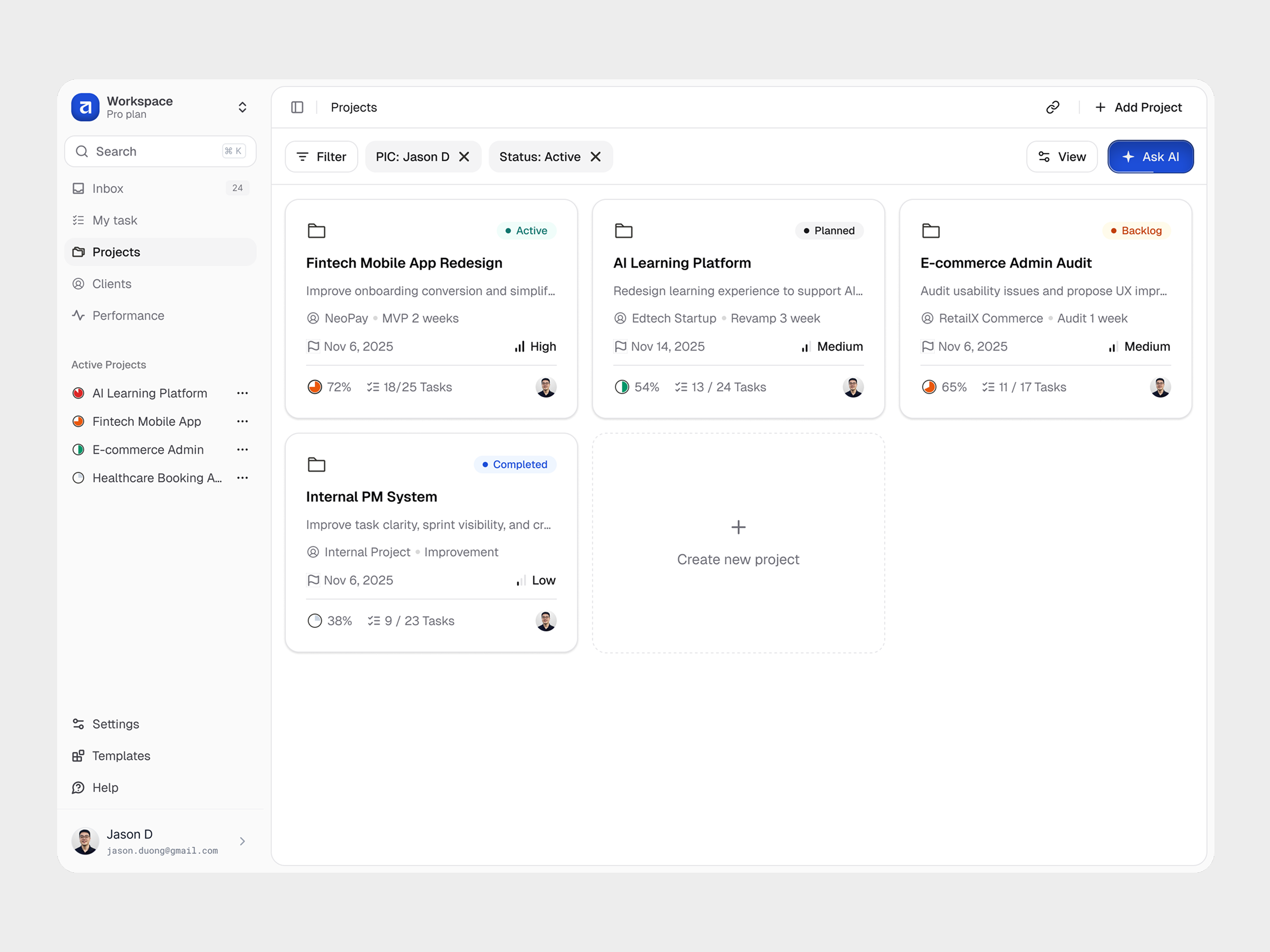
A project list shows what exists. It should also help people understand why the work matters, who owns it, and what happens next.
The exploration connects project intent with everyday work: a clear starting brief, flexible views, and context that stays close to each task.
These archived designs and recordings use sample data. The frontend demo has no authentication or backend; research findings and measured business results are outside this case study.
Start with the right amount of detail
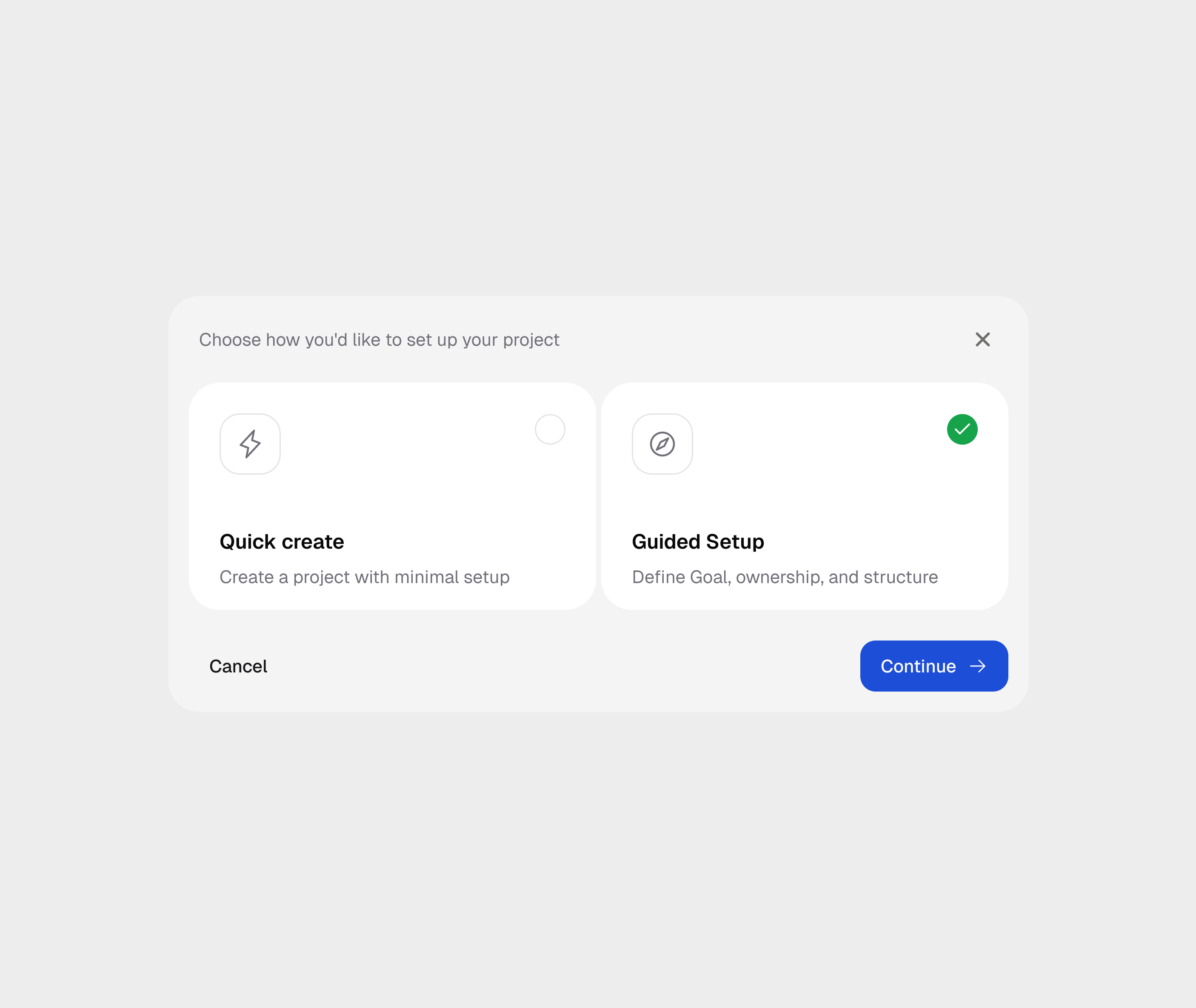
Quick create captures an early idea. Guided Setup helps define the purpose, outcome, and people before work begins.
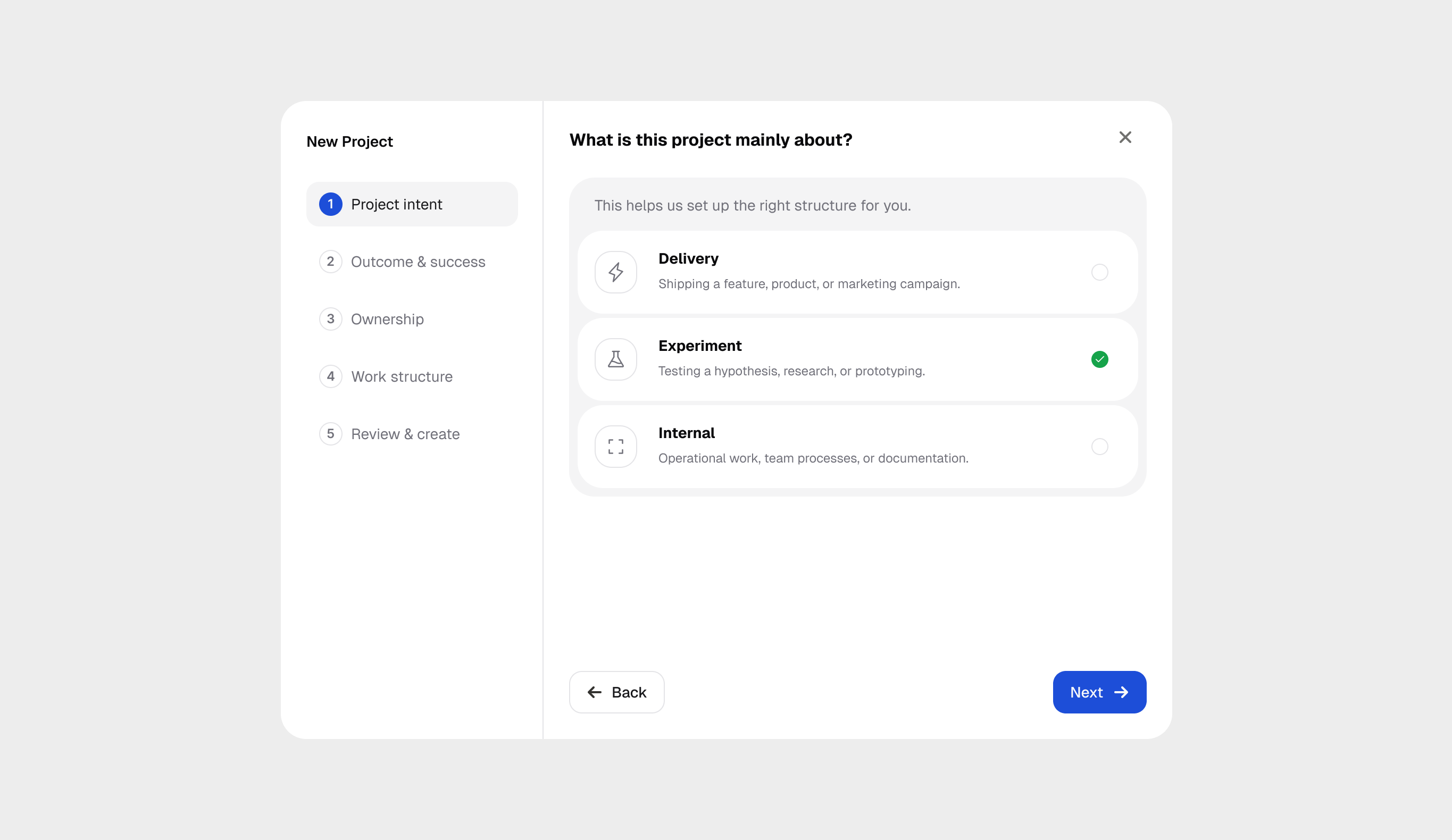
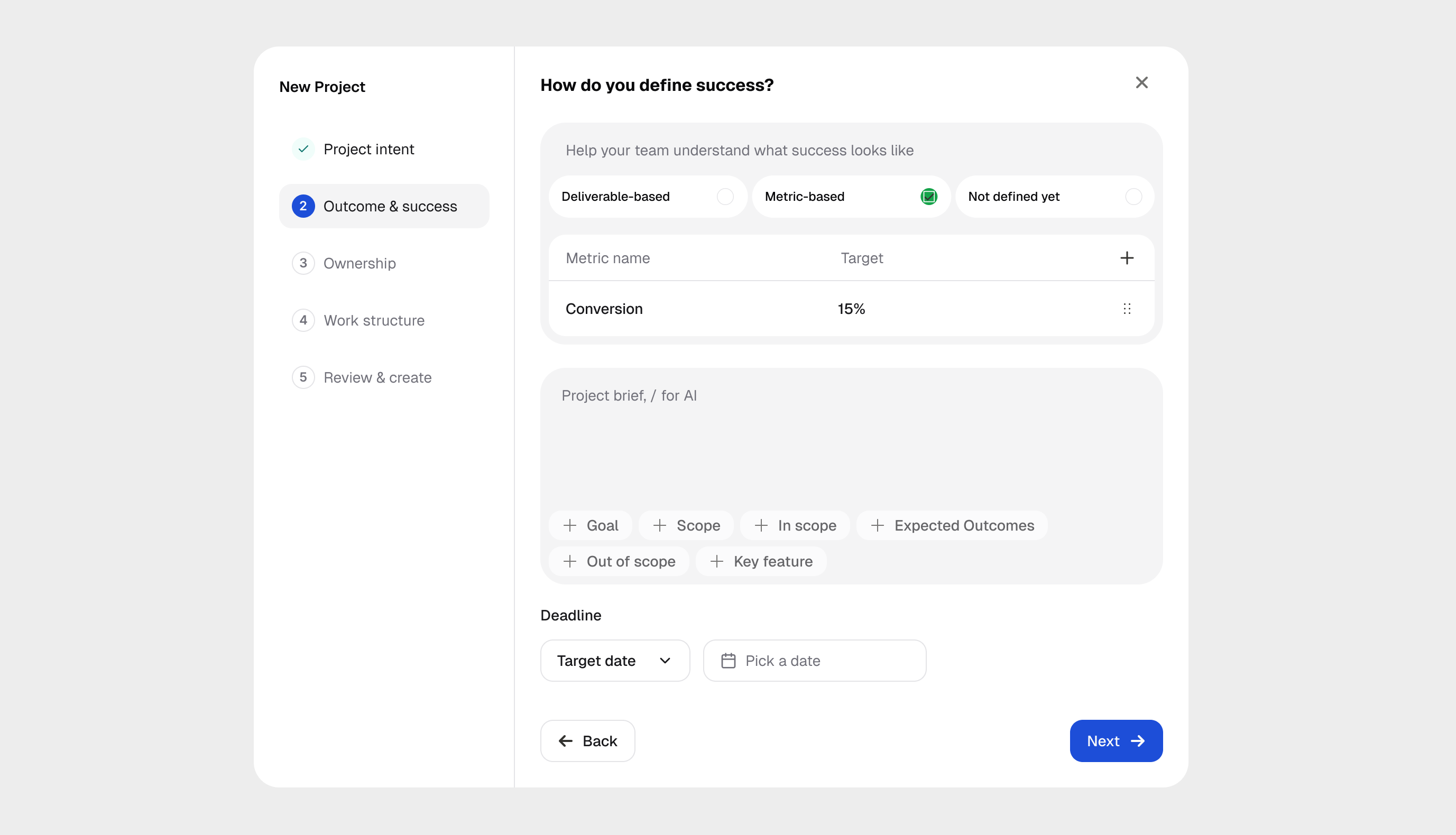
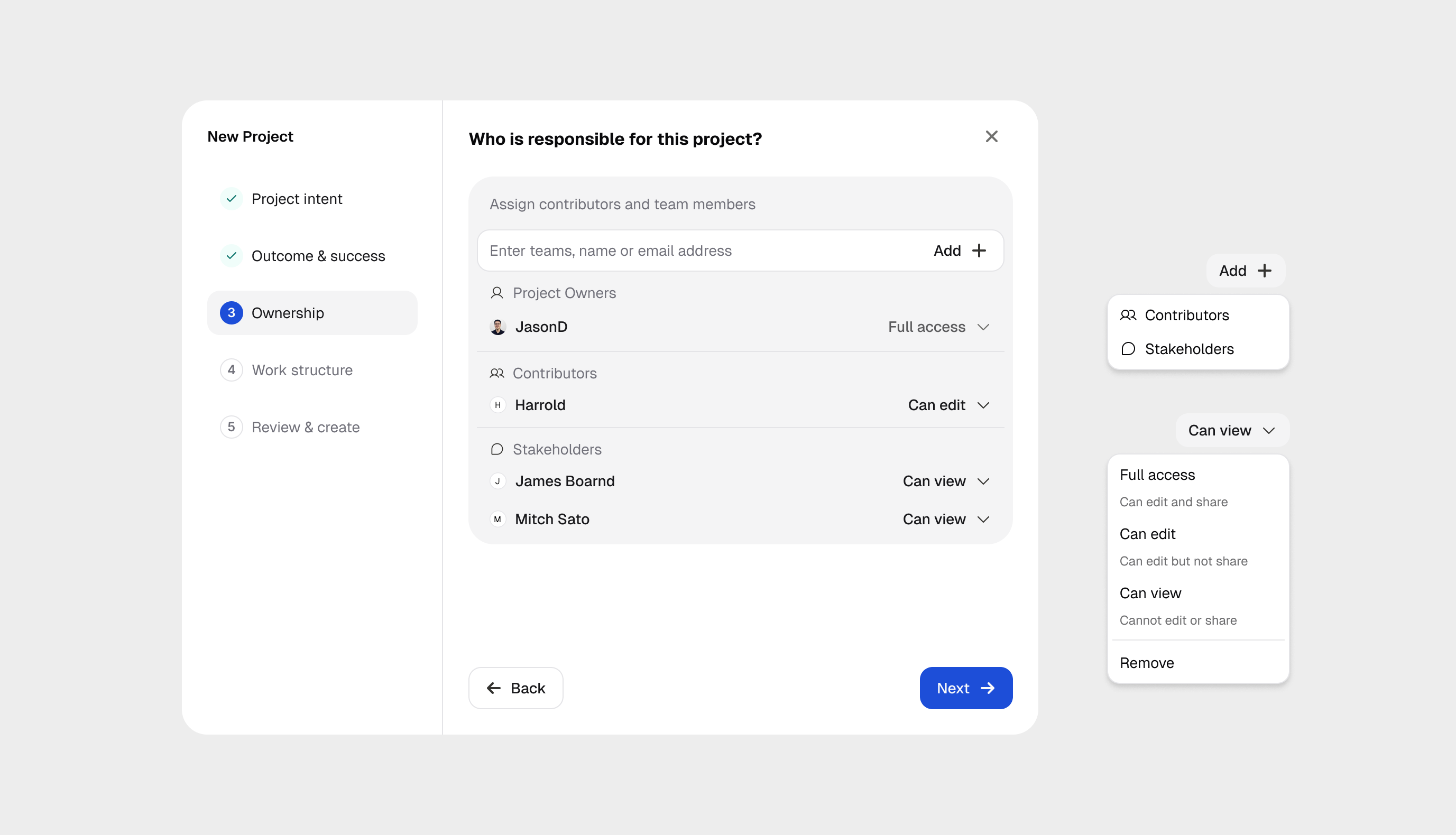
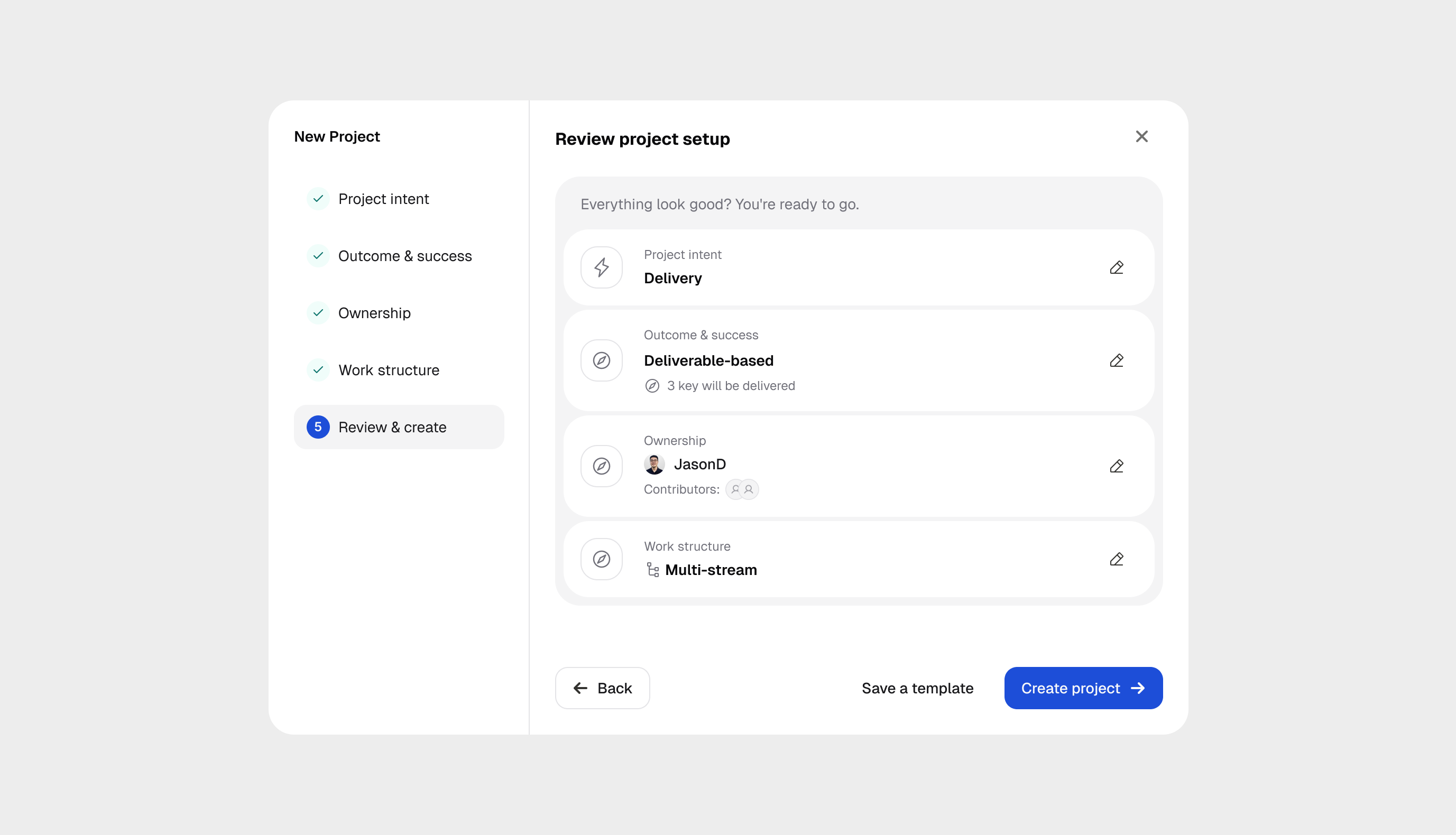
Turn intent into a shared brief
Define success, assign owners and contributors, then review the brief. Each step keeps one decision in focus.
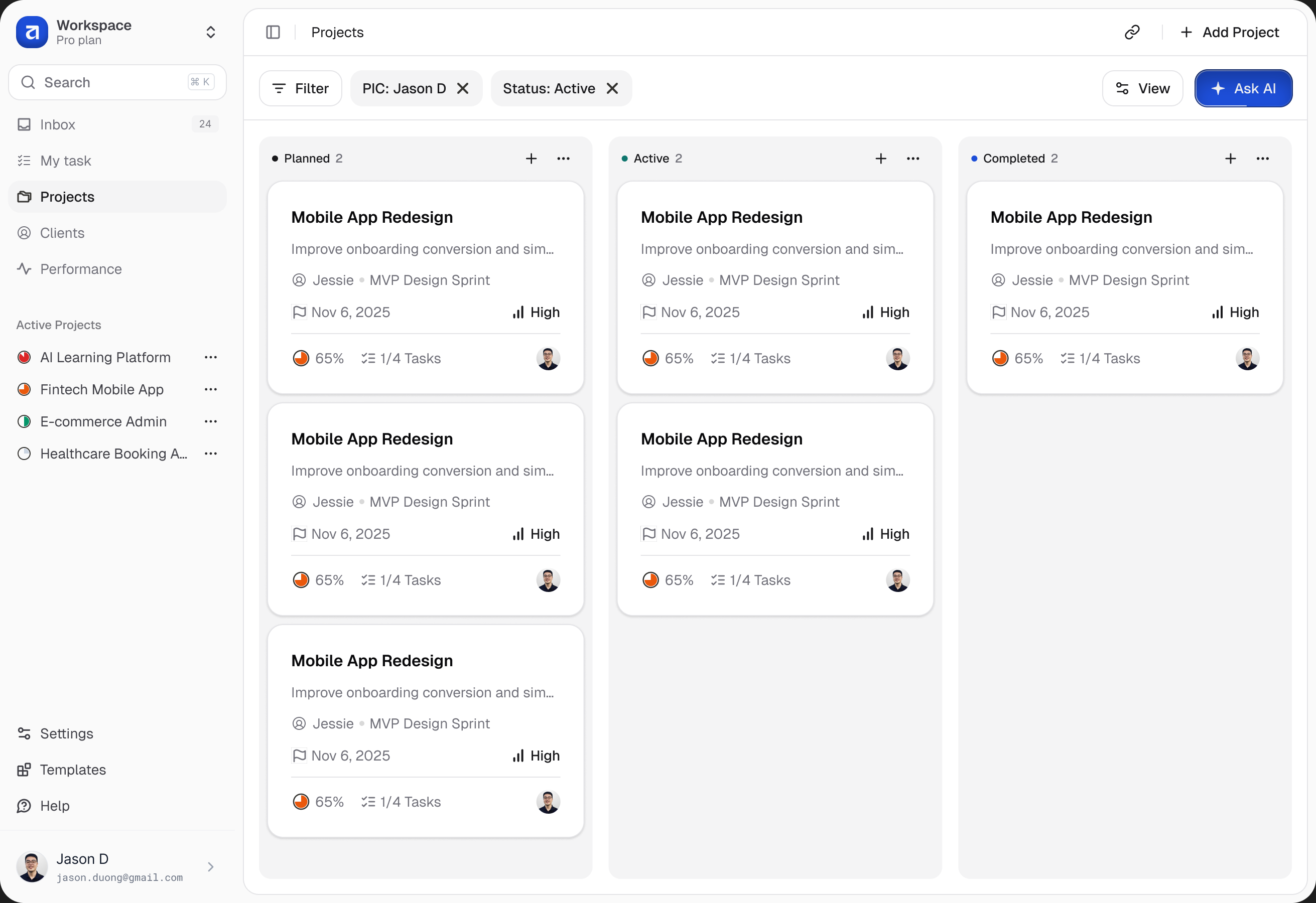
Scan projects by status
The board groups projects into stages while keeping progress, priority, and owners visible. Cards offer a quick way into the work.
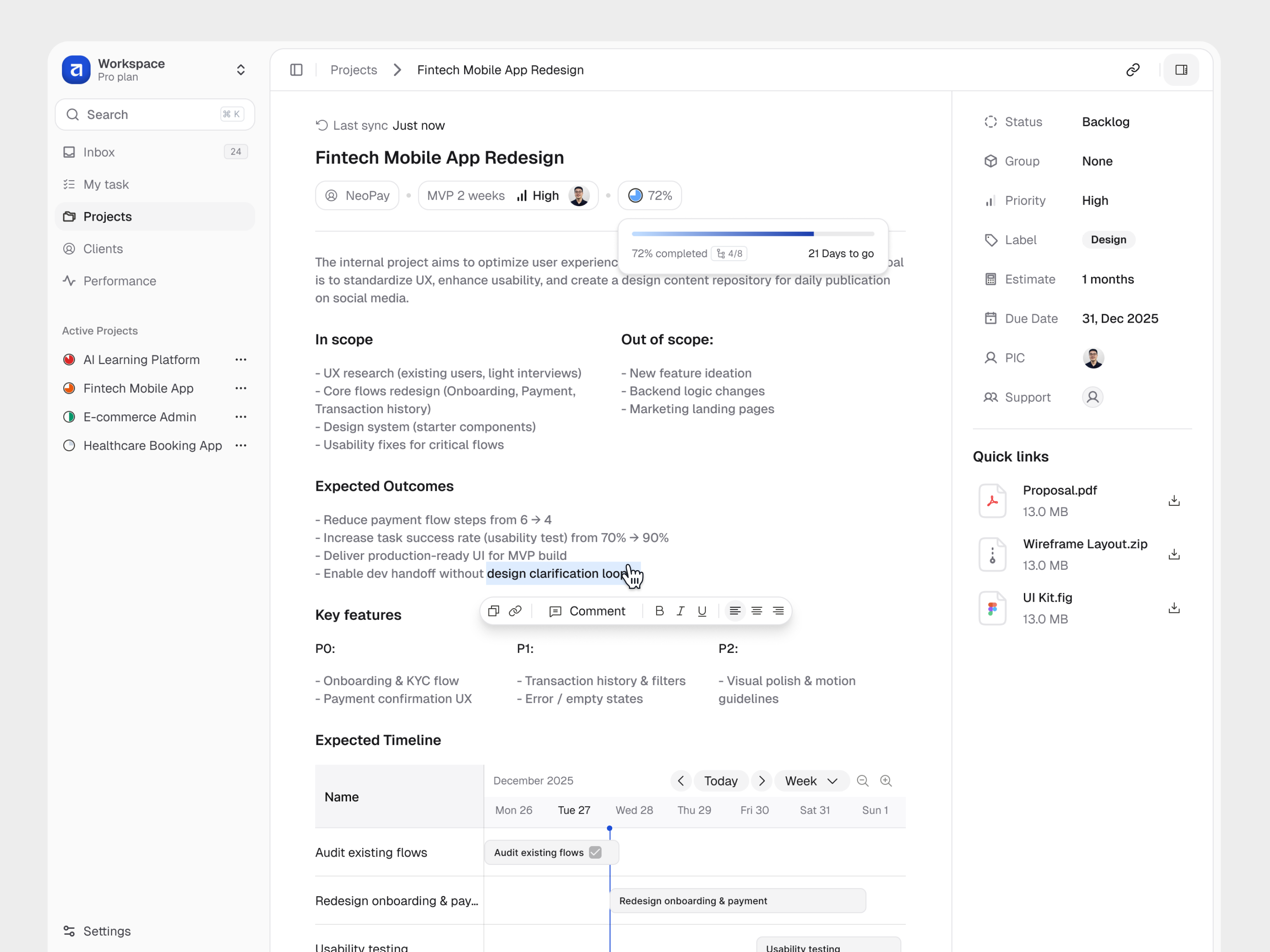
Keep the brief close
Scope, outcomes, and the timeline live in the project overview. A collapsible side panel keeps ownership and key details within reach.
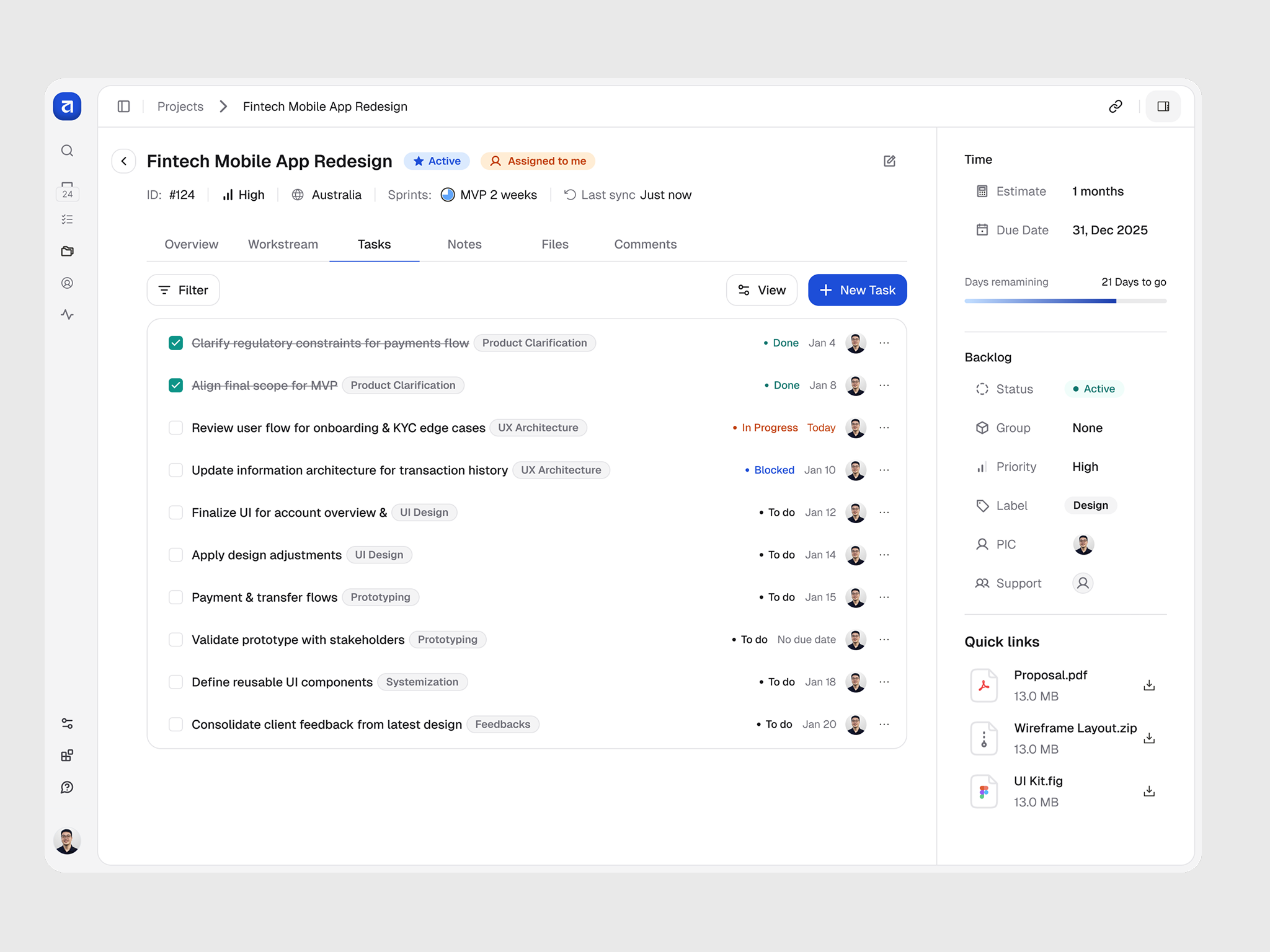
Move from planning to action
The task list connects each item to its status, assignee, dates, and work category. Project context stays visible beside the list.
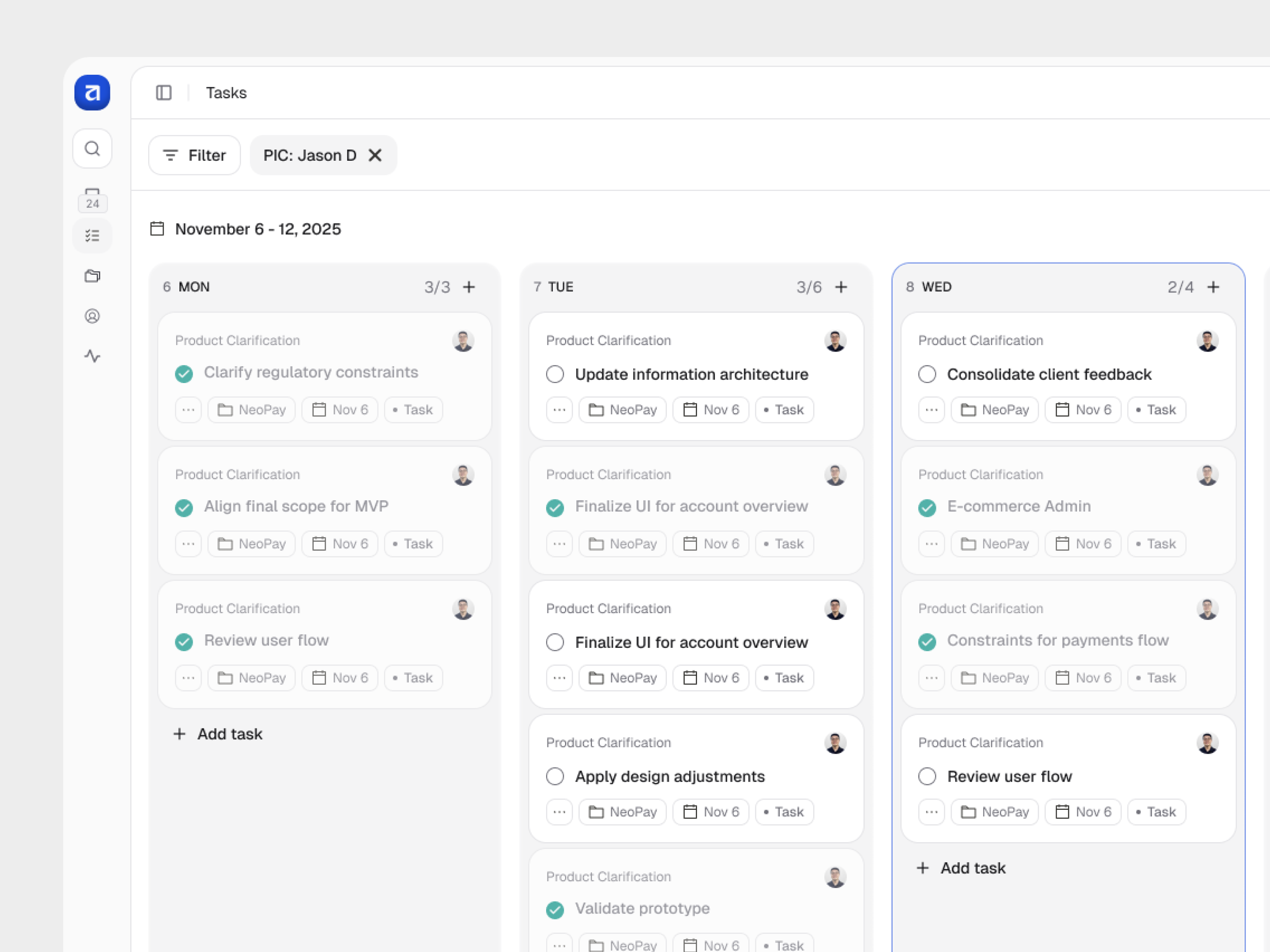
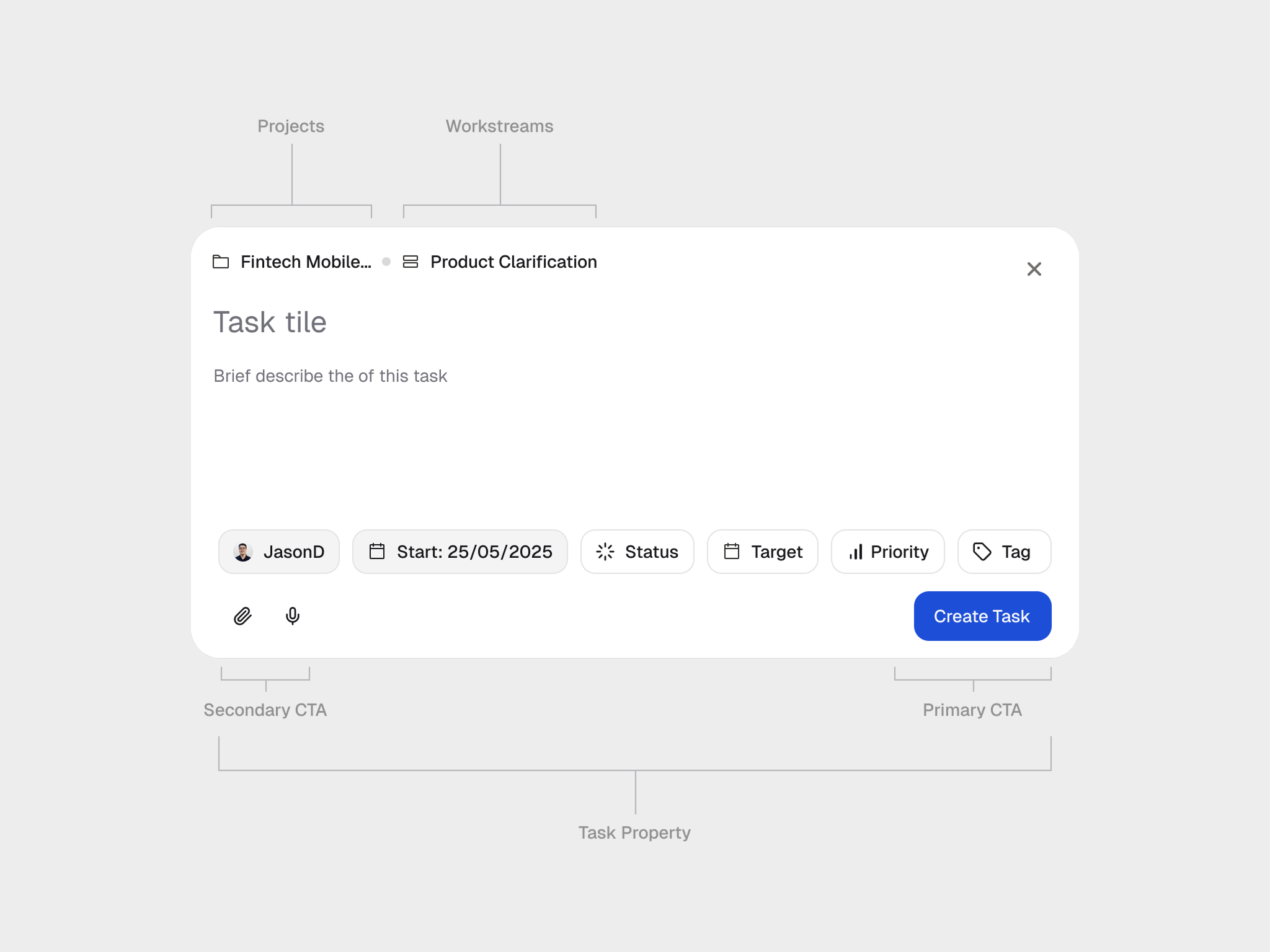
Plan the week, define the task
A weekly board brings daily commitments together. The task composer captures the details, while workstreams group related tasks.
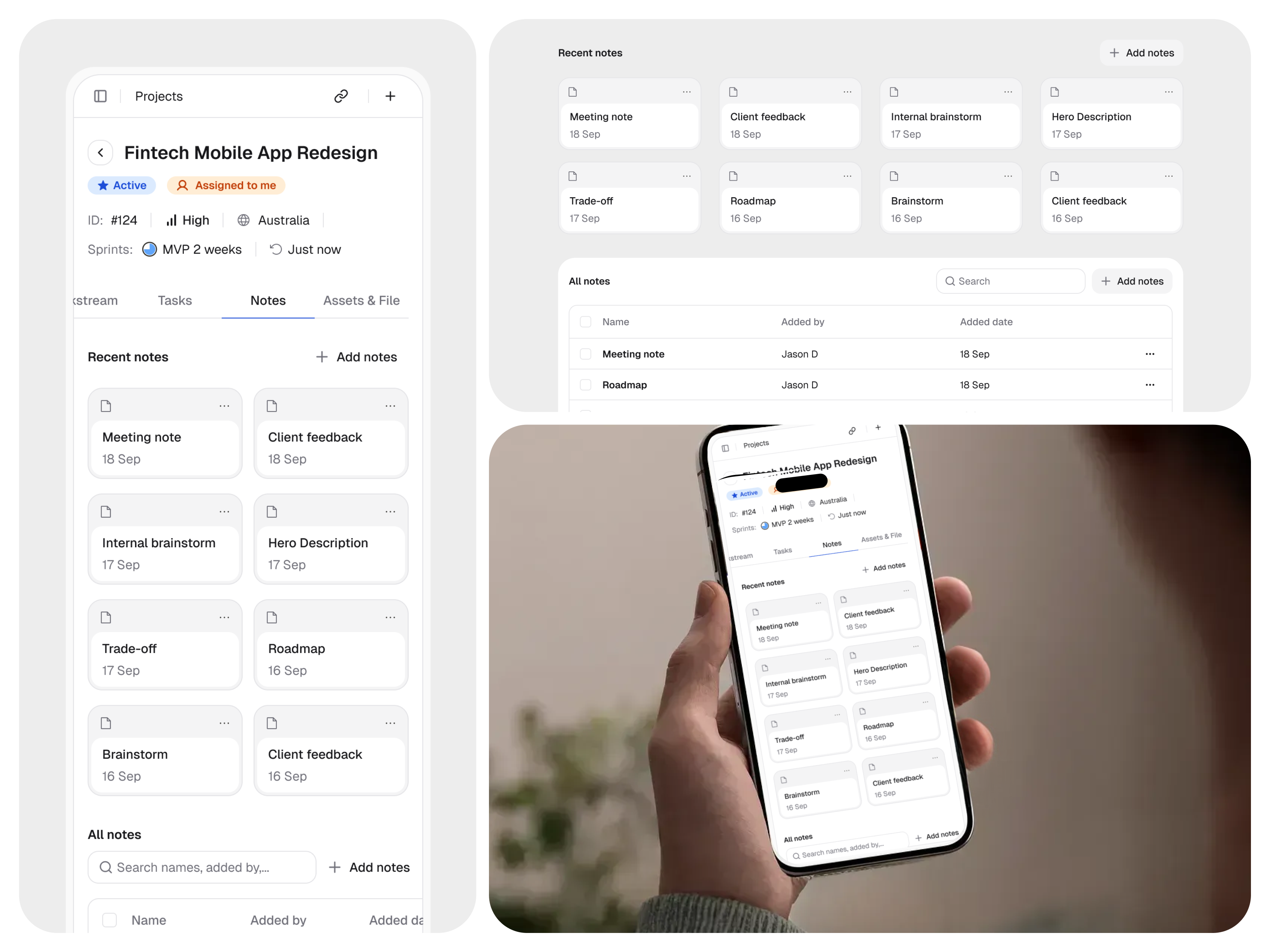
Give notes a place in the project
Notes sit alongside tasks and files. Desktop and mobile compositions explore how the same material can be browsed at different screen sizes.
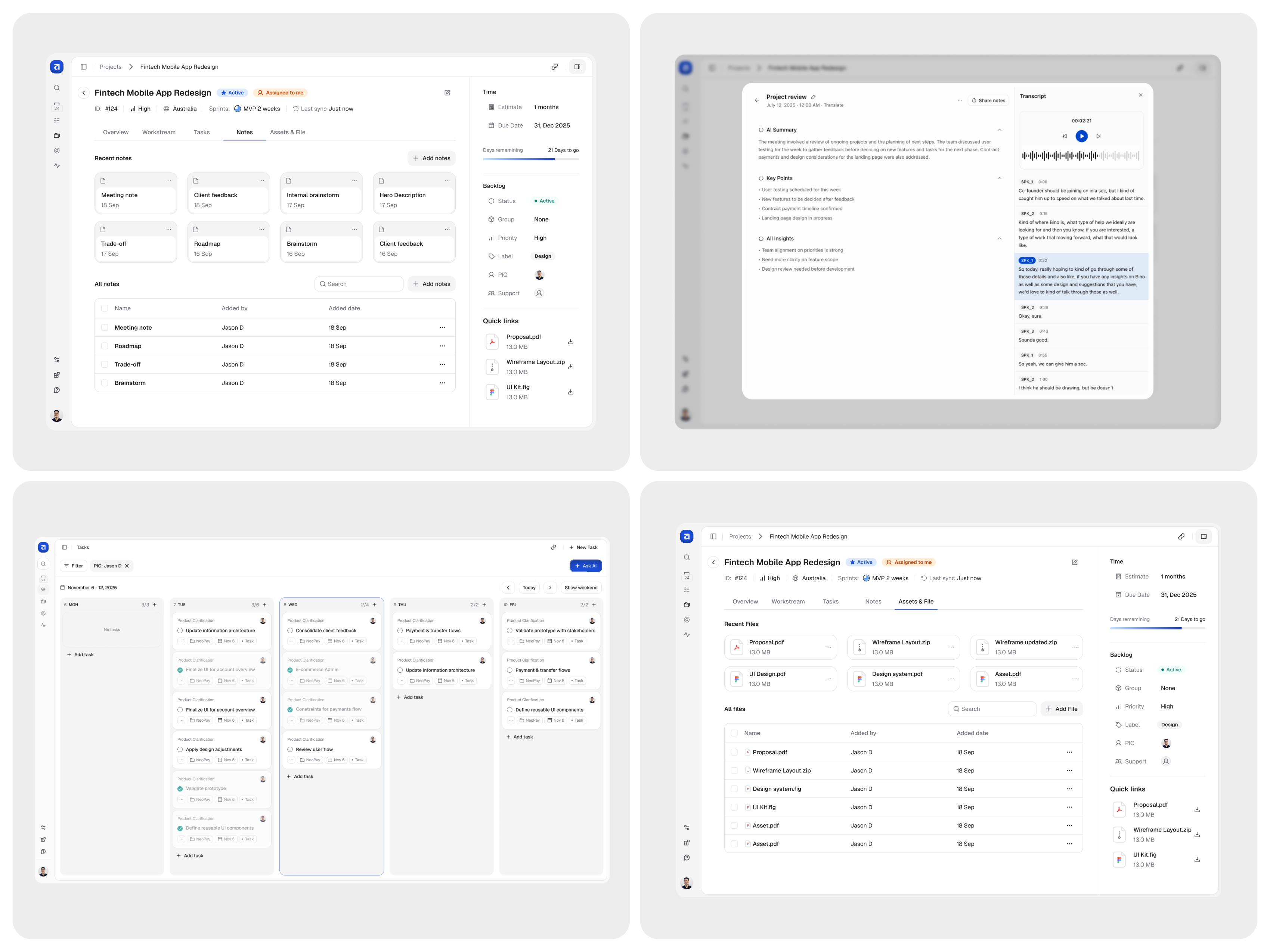
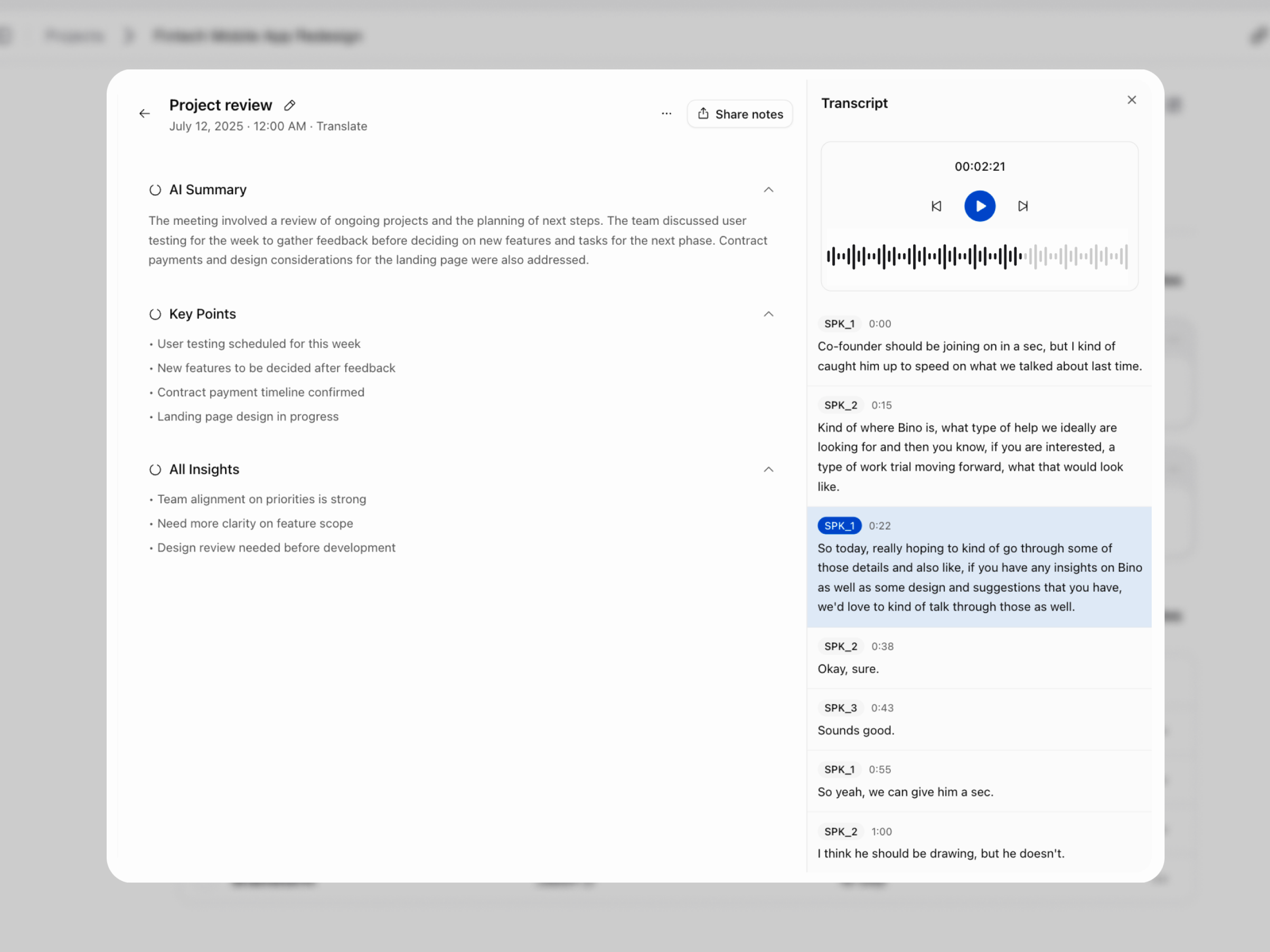
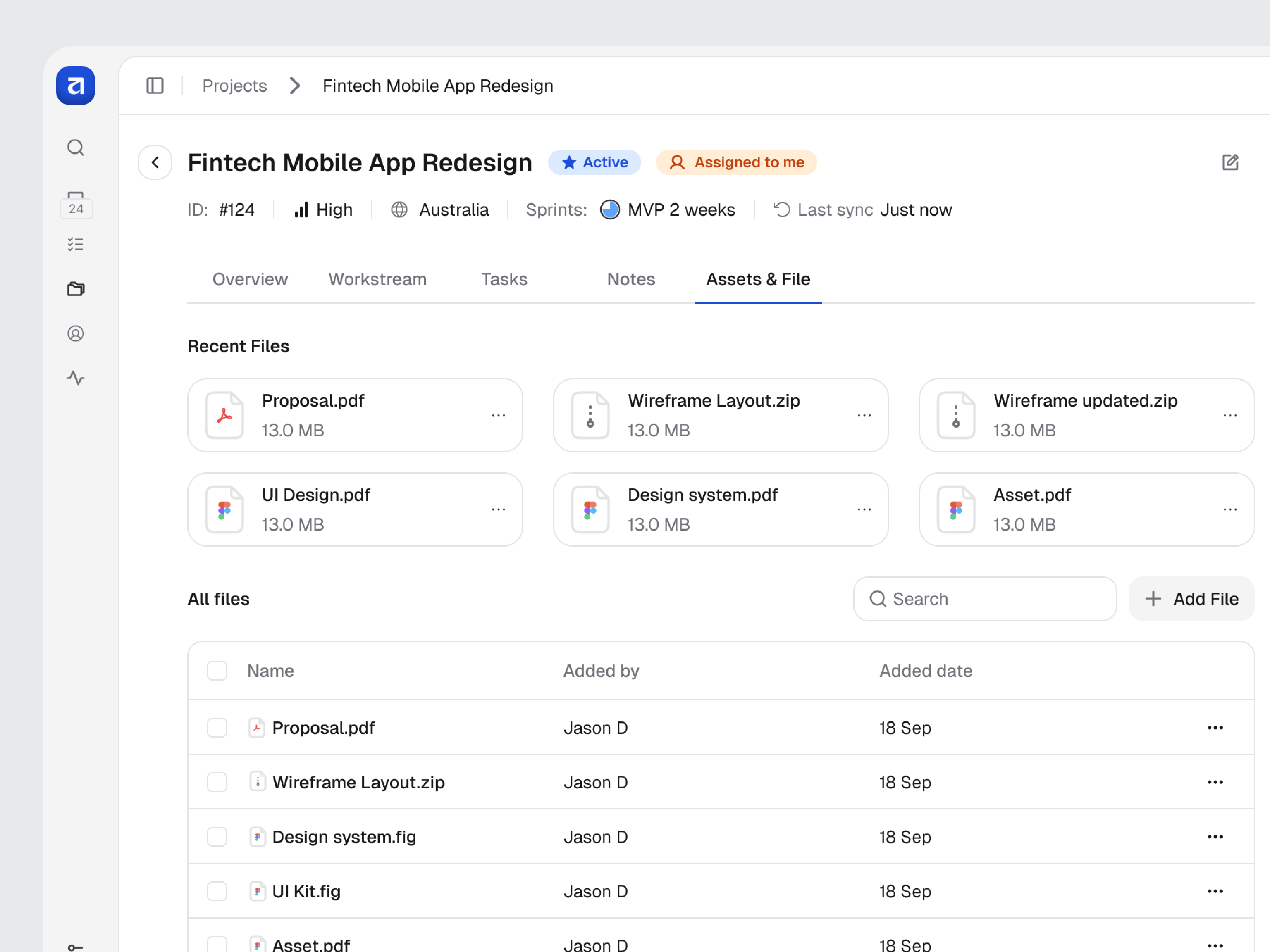
Keep discussions and files together
A note preview pairs the summary with its transcript. The files view separates recent items from the full document list.
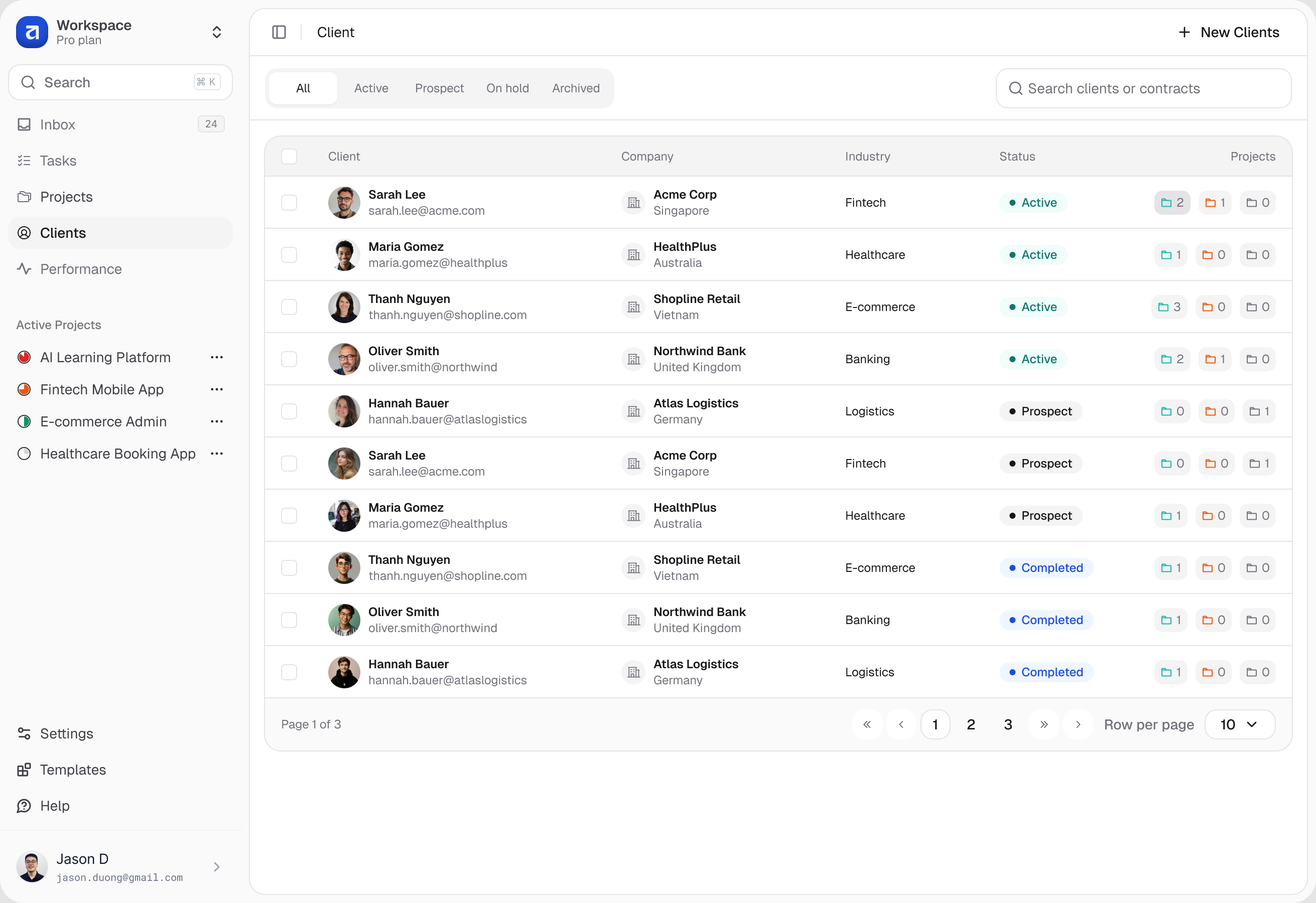
Connect clients to the work
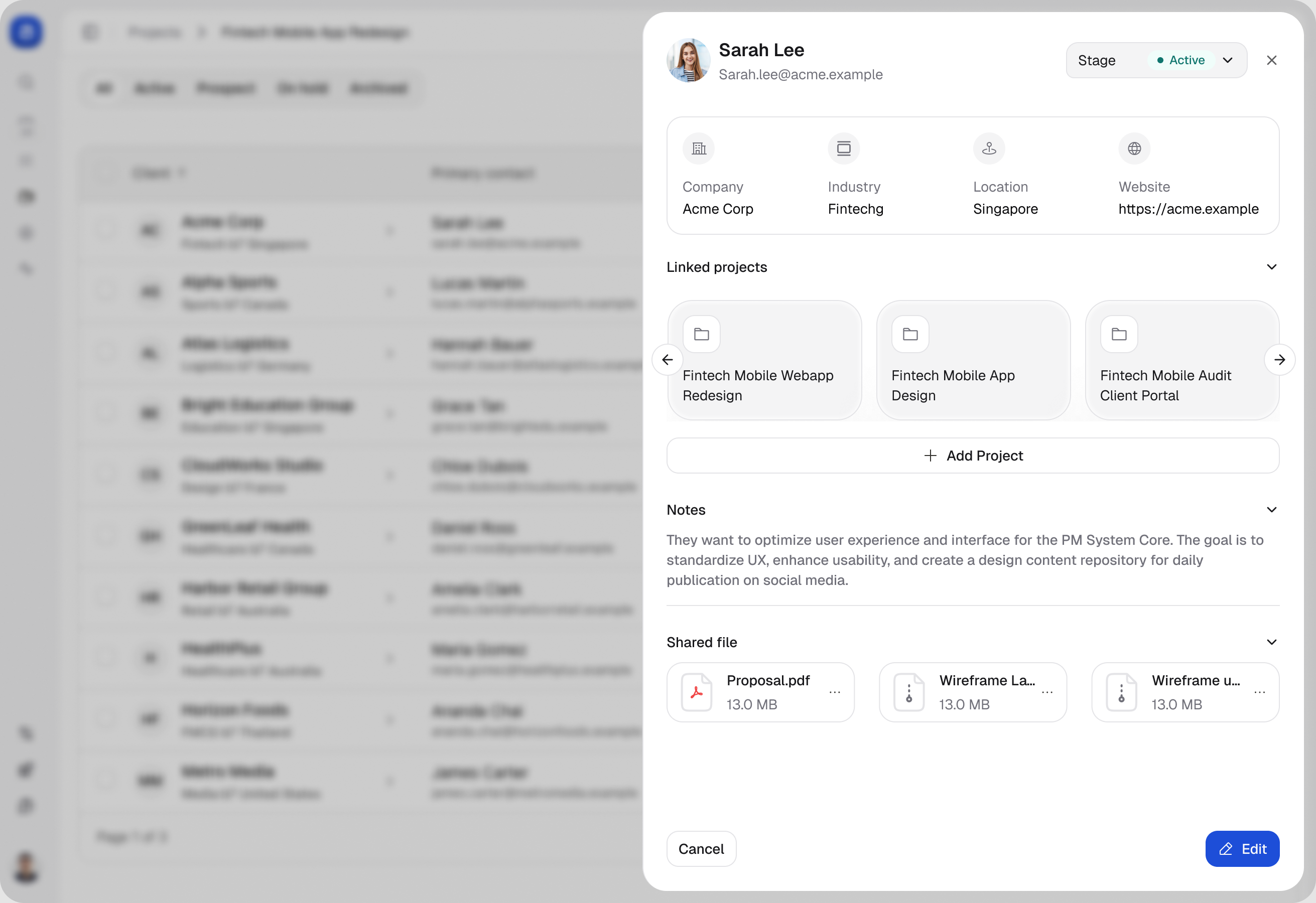
A searchable directory opens into a client panel with company details, relationship stage, linked projects, and notes.
See the workspace at a glance
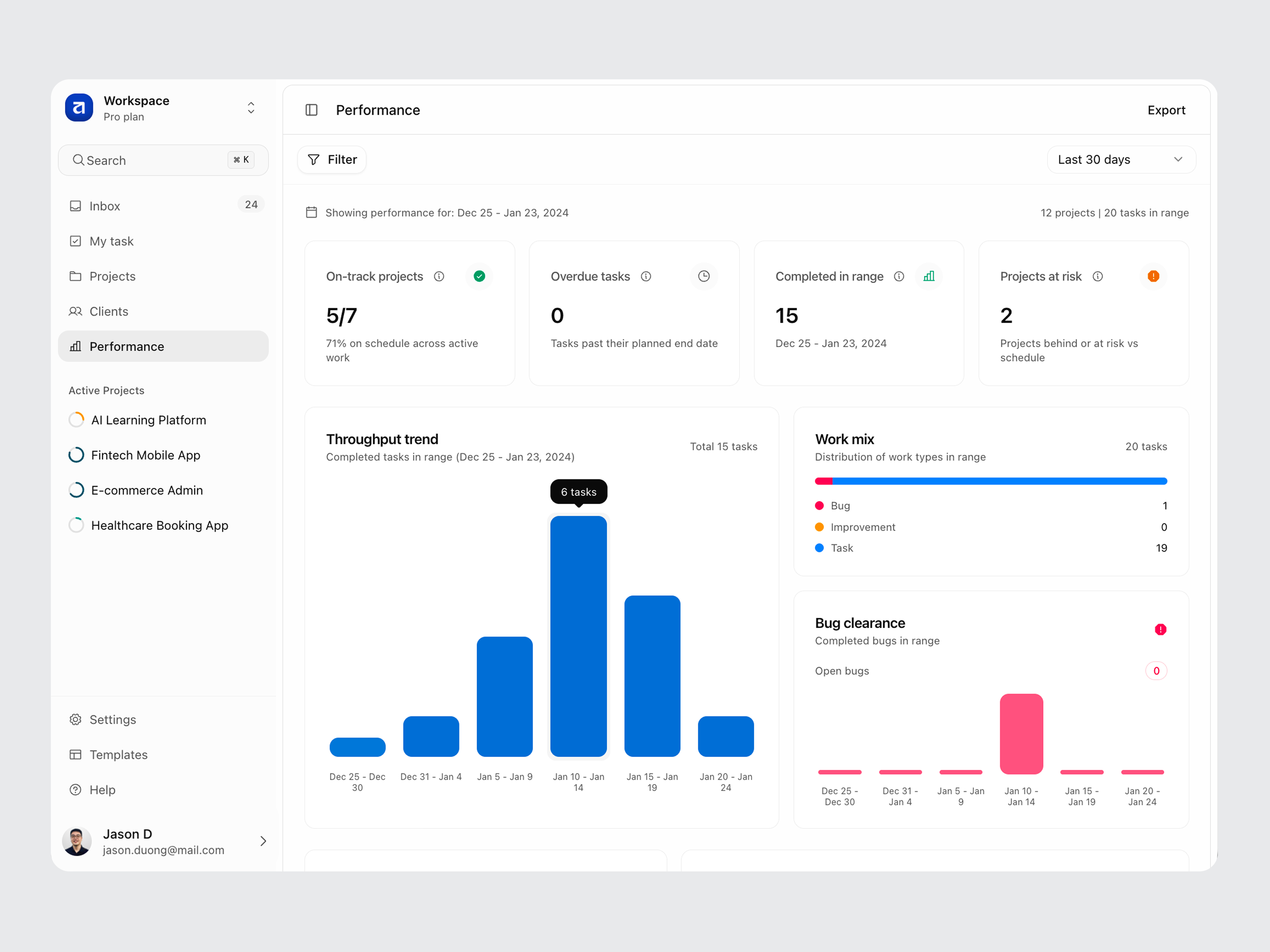
The Performance view combines project status, throughput, and work mix. Date controls let people explore a reporting period using sample figures.
From design to a working frontend
Built with Next.js, TypeScript, and shadcn/ui, the demo makes the interface explorable. This recording follows project navigation and guided setup.
Keep exploring
Related work
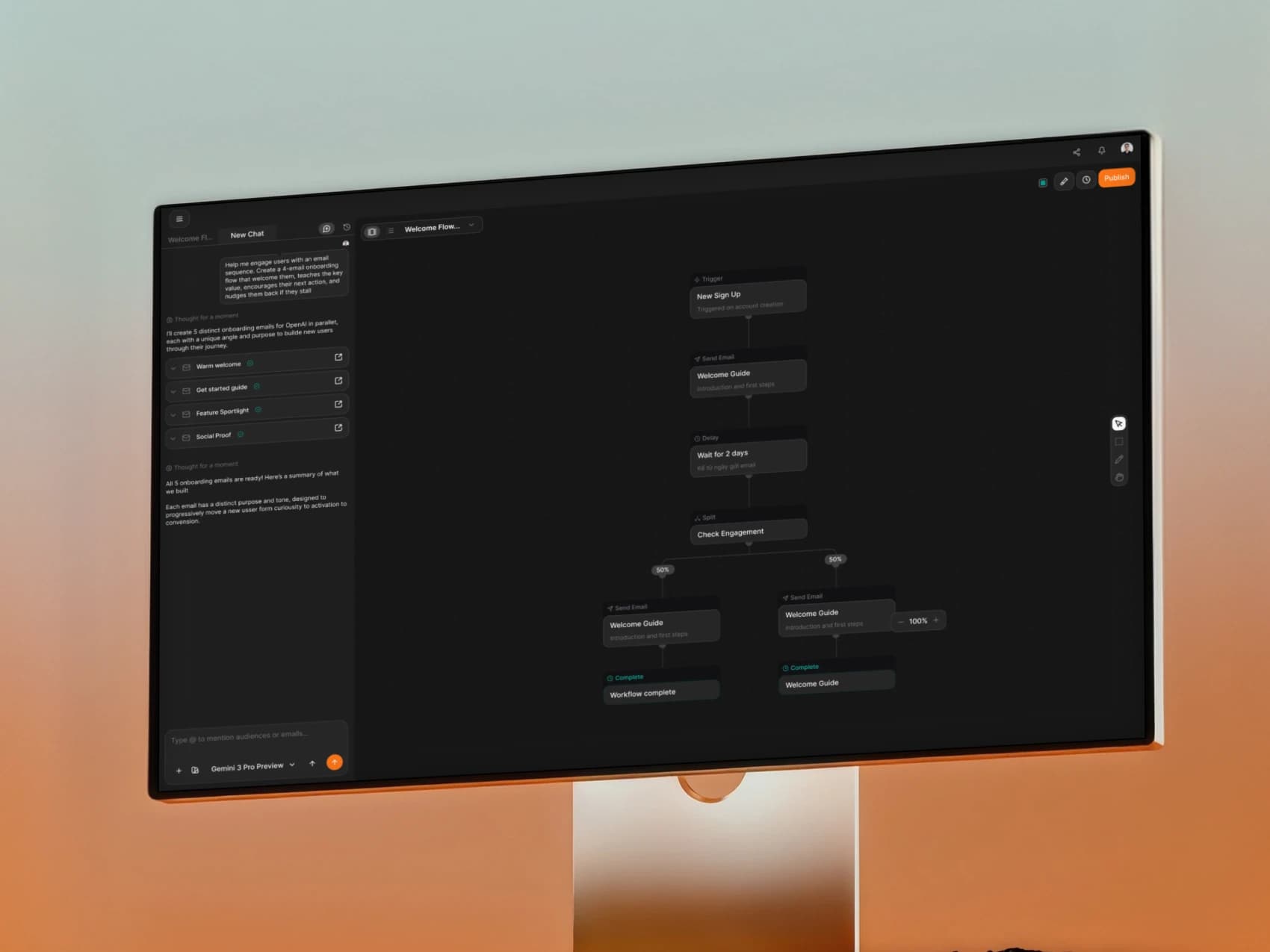
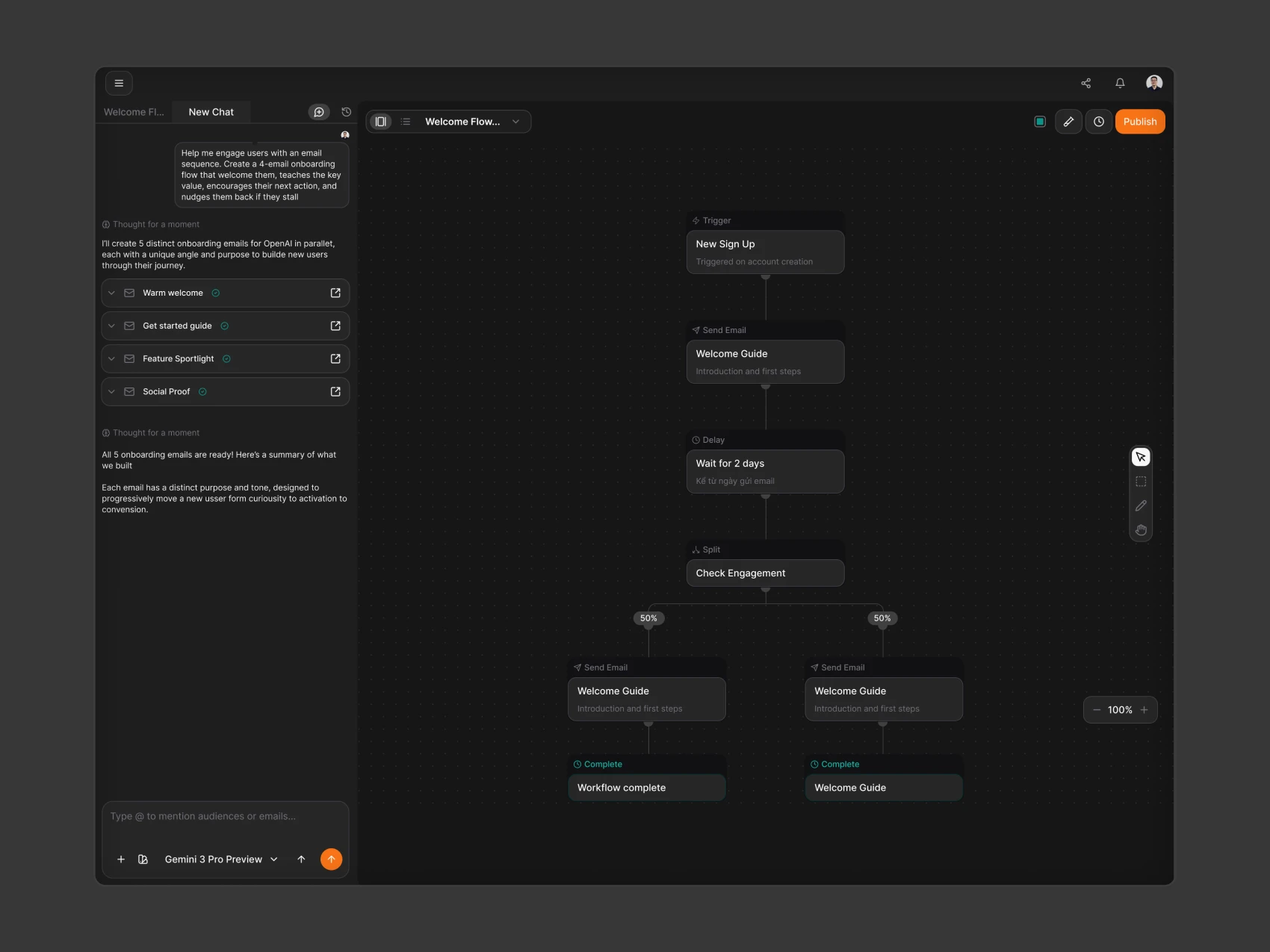
Brew
SaaS • AI • Email Marketing
Kelas SekeJap
EdTech • AI • Mobile