- SaaS
- Customer Support
- Web App
Gray CSM UI
Keeping complex support work in context, from the ticket queue to the next reply.
- Deliverables
- Web App UI
- Design System
- Interactive Frontend
- Timeline
- 2026 · Ongoing
- Roles
- Product Design
- Design Engineering
- SaaS
- Customer Support
- Web App
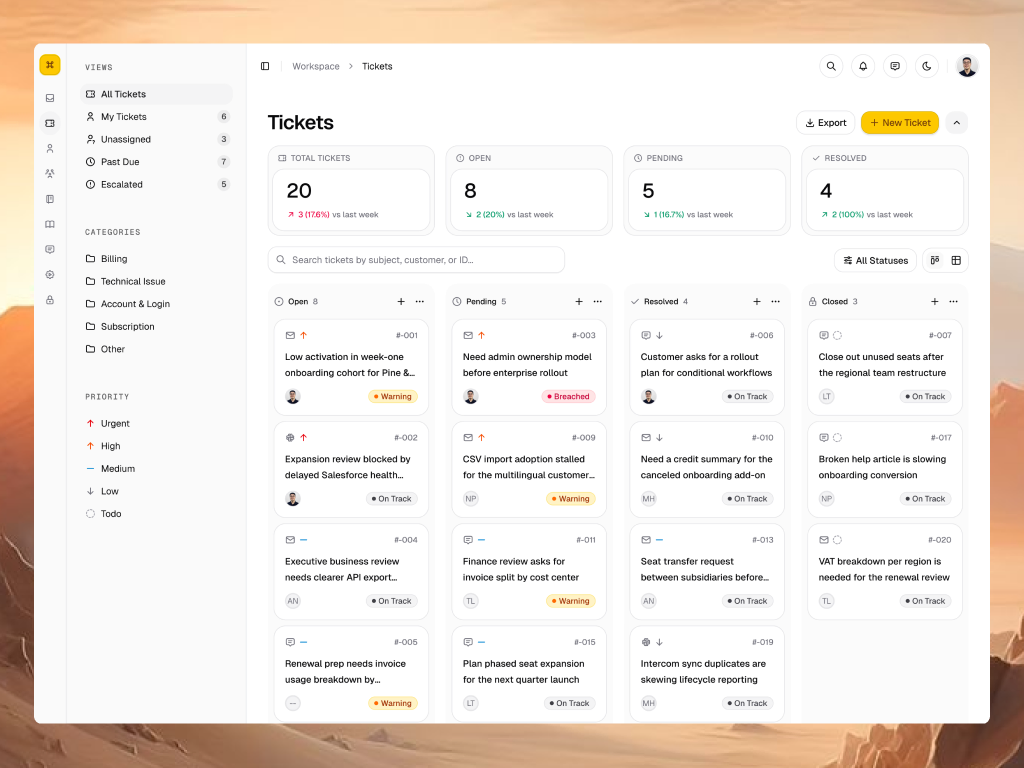
Gray CSM UI is an open-source customer support workspace. It explores how a team can move from a busy ticket queue into a conversation, understand the surrounding context, and choose the next action without losing its place.
The Context
This is a self-initiated design and frontend project, built to explore a realistic support workflow beyond static screens. The work connects product design, a reusable UI system, and an interactive implementation. It is a frontend showcase with fictional customers and local sample data, rather than a production support service.
The images preserve the original social-post compositions, including their backgrounds and spacing. The recordings show workflow studies from April–October 2026. Some labels and visual details differ between versions. All ticket counts, response times, revenue figures, and chart values are example interface content.
The Challenge
A support workspace asks people to work at different levels of detail. A queue needs to be easy to scan. A reply needs the conversation, ownership, urgency, and customer context. Giving every piece of information equal weight would make the workspace harder to navigate.
The design challenge was to make those levels work together: enough information to decide what needs attention, a quick way to inspect one ticket, and a dedicated space for work that needs more focus.
The Approach
The project follows one connected path: scan the queue, inspect a ticket, then move into the full conversation when needed. Three decisions shape that path: offer complementary queue views, reveal detail in context, and carry the same interface rules into code.
Building the states as a working frontend makes the transitions reviewable. Board and table layouts, drawer expansion, conversation tabs, and theme changes can be explored together instead of being judged only as separate mockups.
One Queue, Two Ways to Work
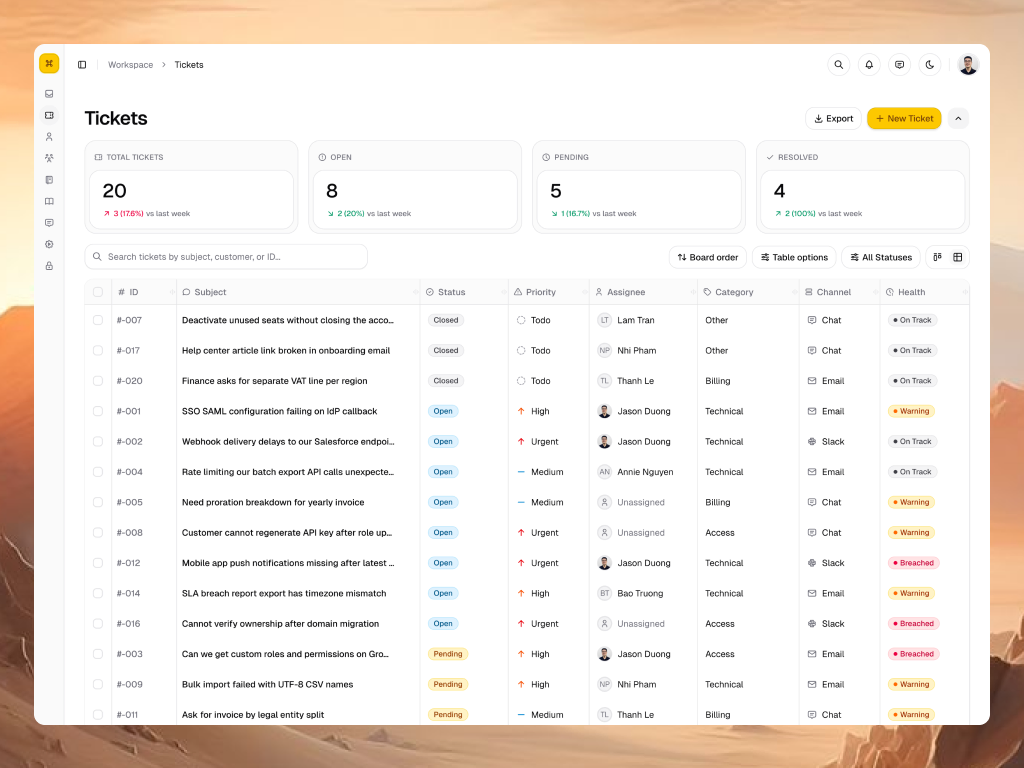
The board groups tickets by status, making the overall flow visible. The table brings comparable fields into columns for closer review. Both use the same ticket model, with search, status filtering, and queue shortcuts nearby. In table view, selection exposes bulk actions so repeated updates do not need to start from each ticket individually.
A Quick Look Before a Full Investigation
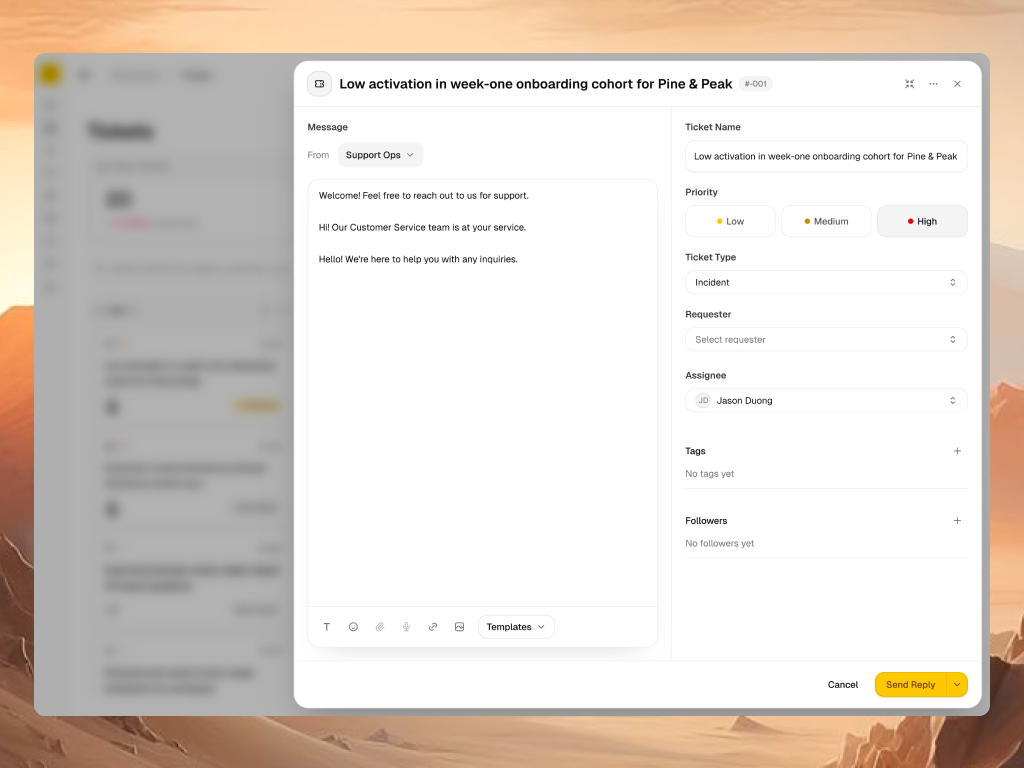
A drawer keeps the queue behind the selected ticket while exposing priority, ownership, and a reply composer. Expanding it places the message beside the ticket fields. This gives a quick update room to happen without immediately moving to a separate page; the full detail view remains available when the conversation needs more space.
Keep the Answer Beside the Conversation
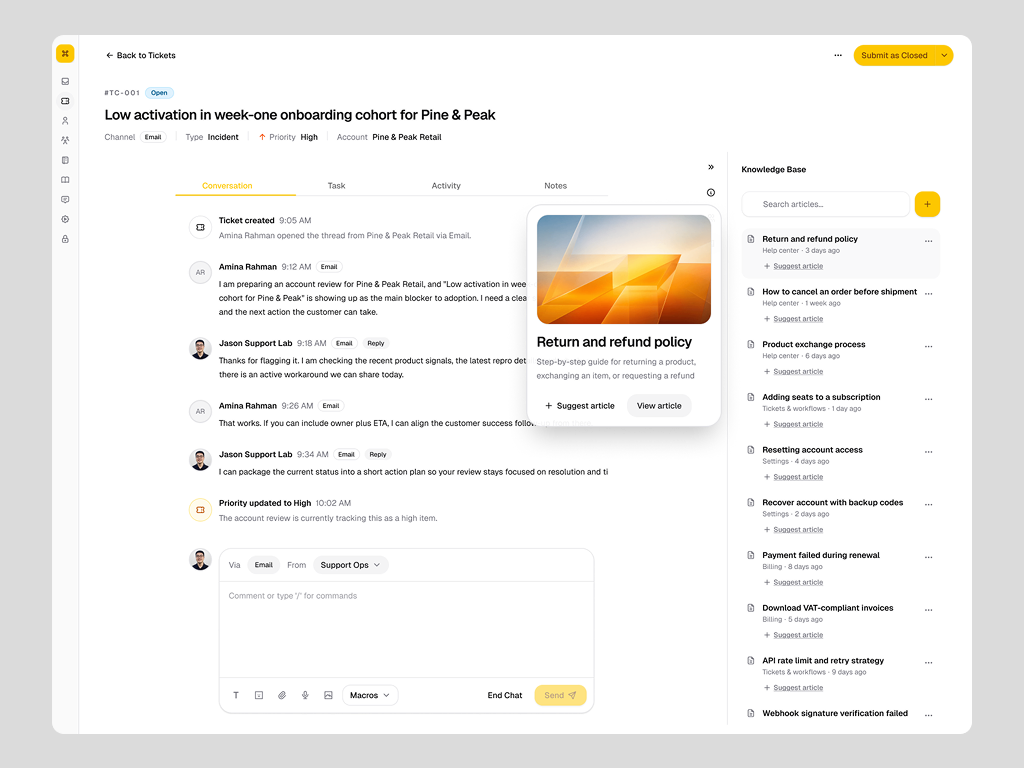
The full detail view separates conversation, tasks, activity, and internal notes into focused tabs. A context panel brings ticket details, people, or knowledge alongside the current work. The knowledge view shown here makes an article available beside the thread, with a preview before it is suggested. The intent is to support an informed reply while keeping the conversation as the main workspace.
Turn the Conversation into Follow-through
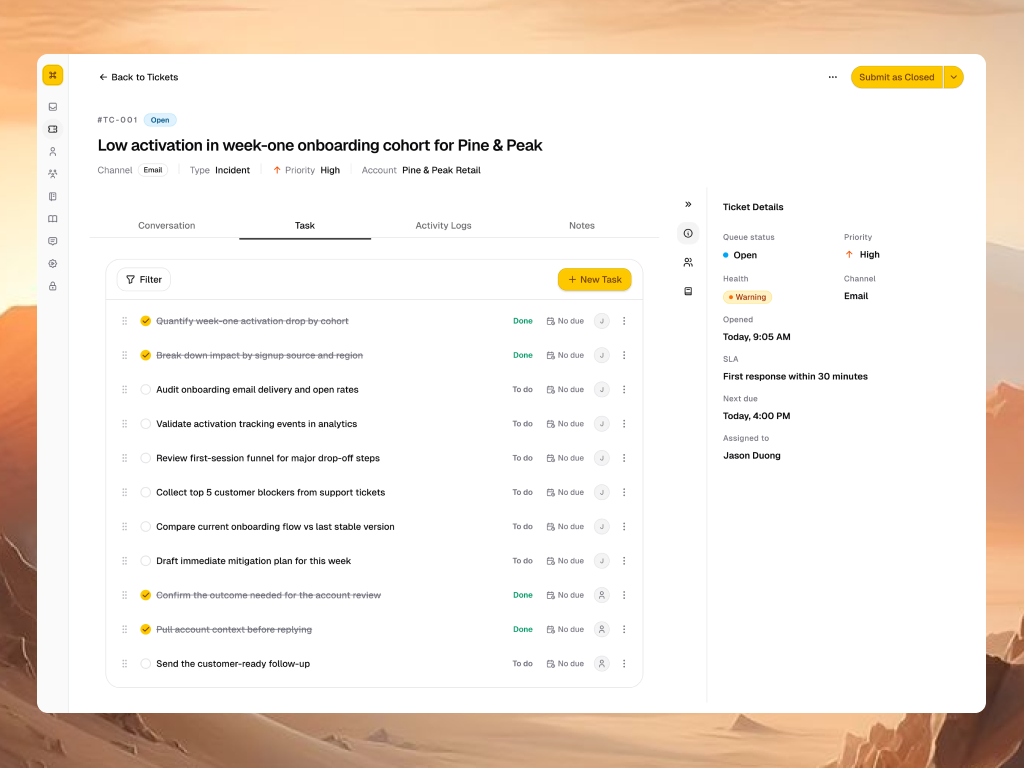
Tasks sit inside the ticket so follow-up work stays connected to the conversation that prompted it. Completion states, ownership, and due dates appear together, while the ticket context remains alongside the list.
Make Ticket Handoffs Explicit
Merge and transfer studies explore two moments where context can be lost: combining related requests and handing responsibility to another person. The demos make the target selection, supporting context, and confirmation visible as part of the interaction. These are UI demonstrations with sample tickets.
Follow the Merge Flow in Dark Mode
The dark-mode recording revisits the merge flow through target selection, an optional note, and the resulting conversation state.
Watch the dark-mode merge study
Continue Support Beyond the Message
Remote assistance is explored as a simulated support journey: invite the customer, enter a shared-screen workspace, and keep session controls near the ticket. The recording also shows the phone-support panel, extending the same conversation context into another support mode.
Keep Session Context Across Themes
The dark-mode study presents the same assistance journey with the ticket conversation, session workspace, and supporting details. It remains a simulated interface study.
Watch the dark-mode remote-assistance concept
See the Account Behind the Ticket
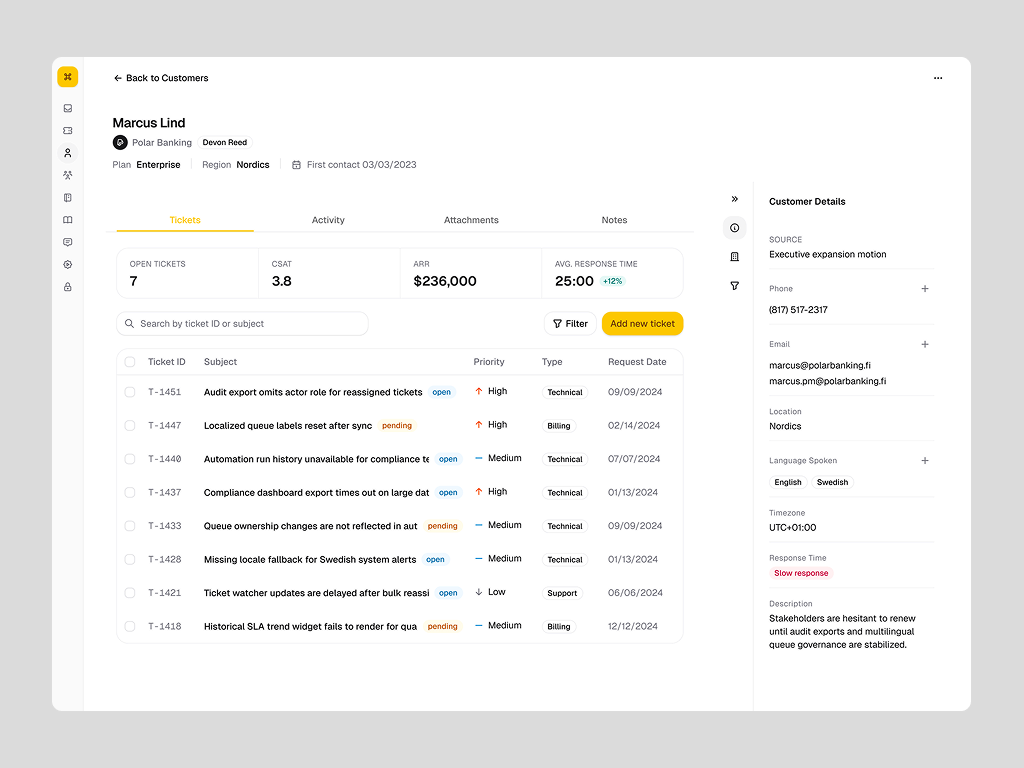
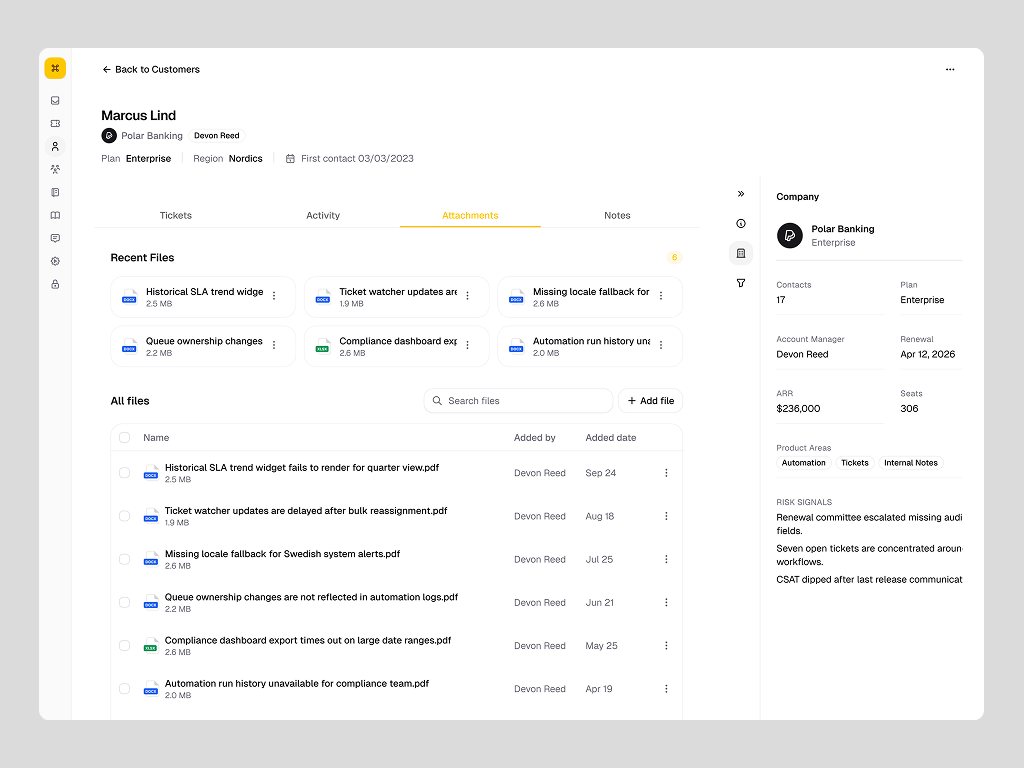
A customer workspace brings related tickets together with the company, contact, plan, and account context. Support can inspect a request as part of an ongoing relationship rather than treating every conversation as an isolated record. The figures shown are sample account data.
A Shared Record of the Relationship
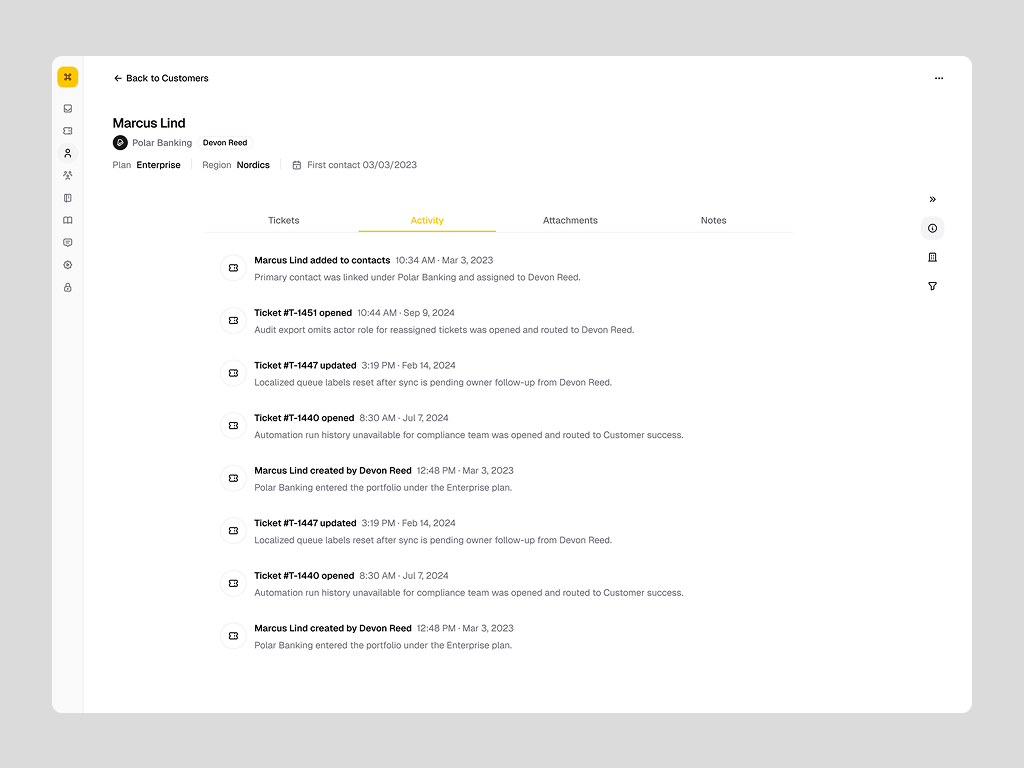
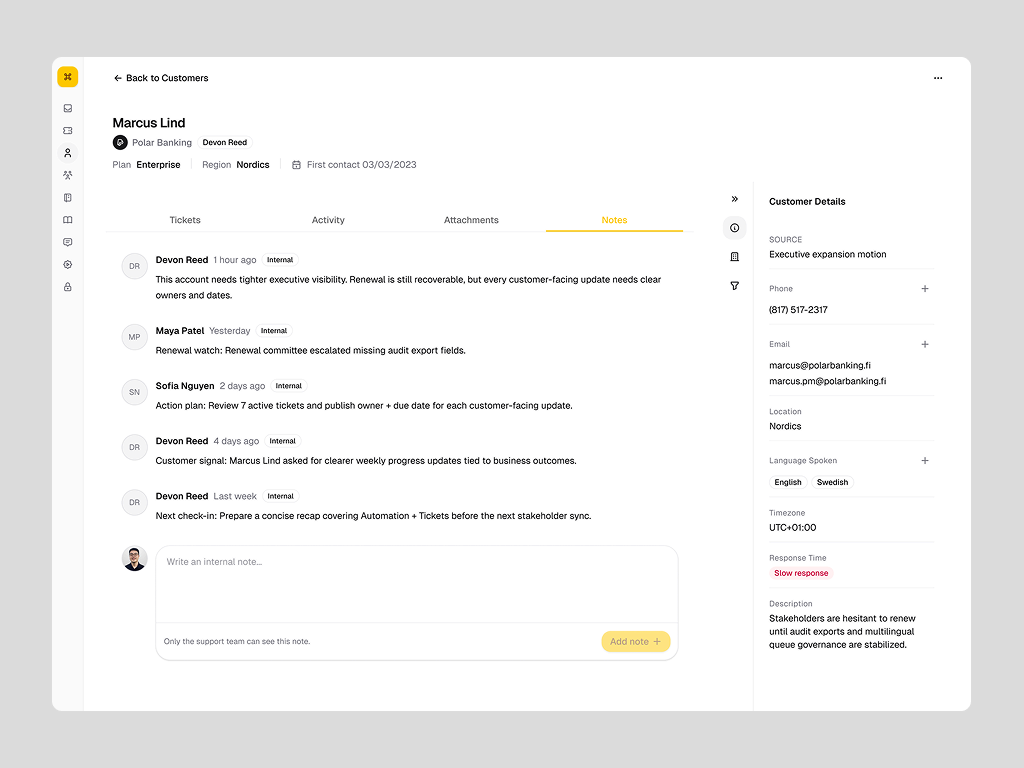
Activity explains what changed, internal notes preserve team context, and attachments keep supporting files close to the account. Each view shares the same navigation and context panel, so moving between them does not require relearning the workspace.
Give Support a Knowledge Workspace
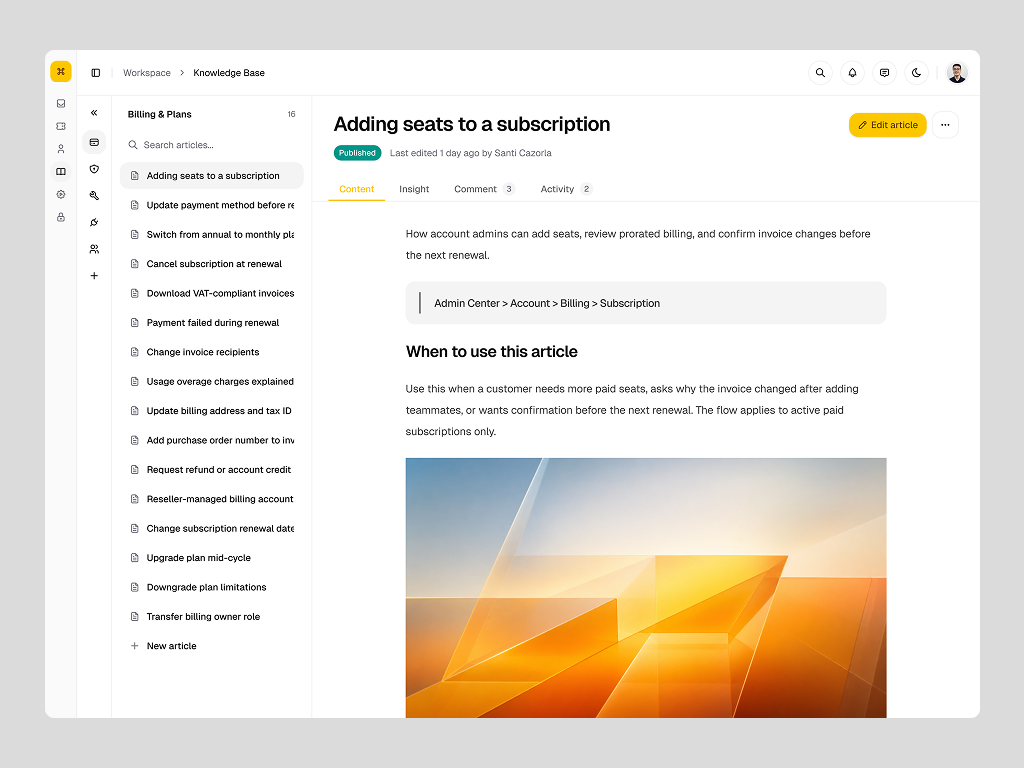
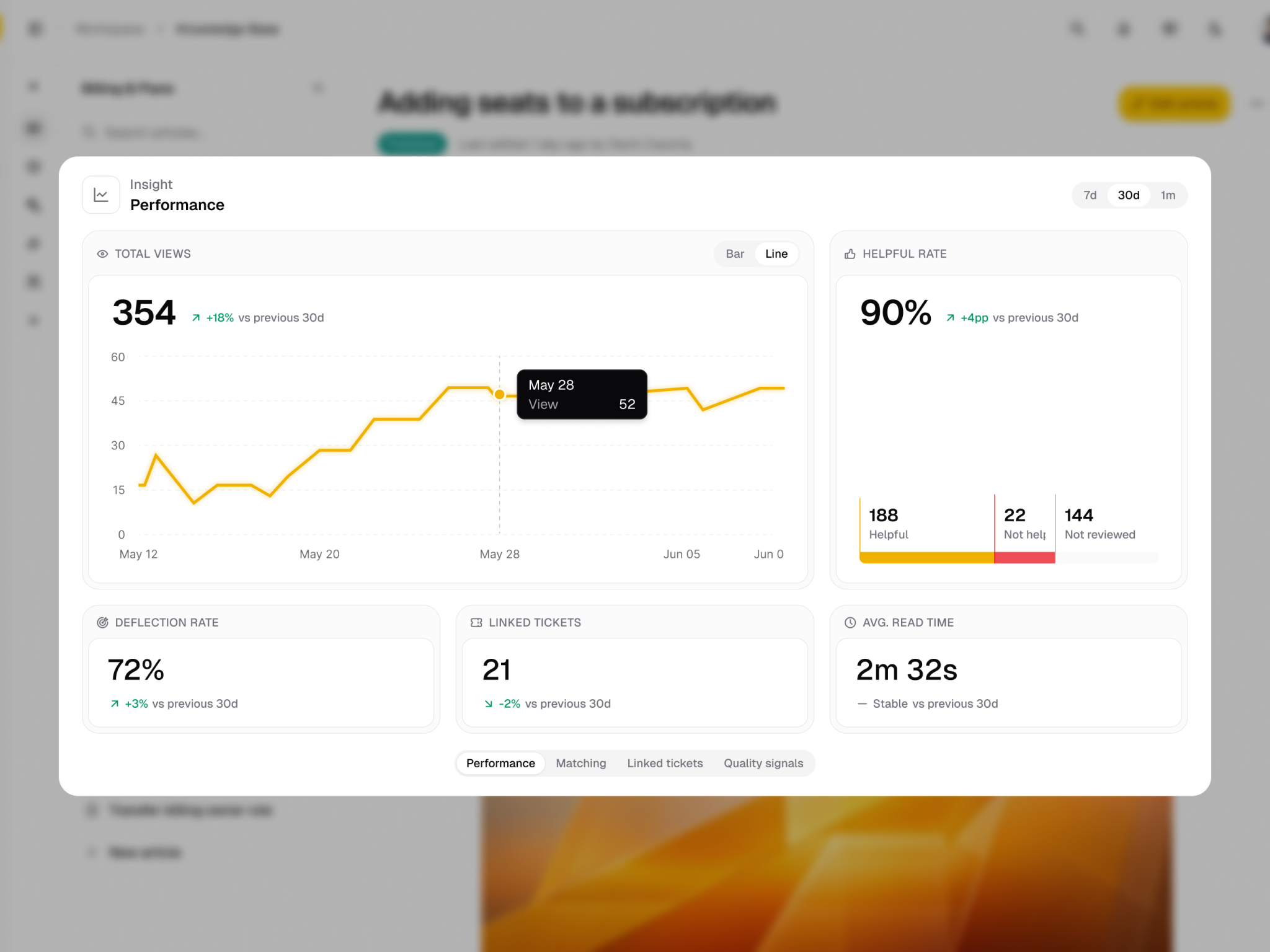
The knowledge base organizes articles into groups and keeps the active article readable beside its navigation. Published content and article details share the same view, connecting the information an agent reads with the context needed to maintain it. This is the source workspace behind article suggestions in a ticket.
Keep the Active Conversation in View
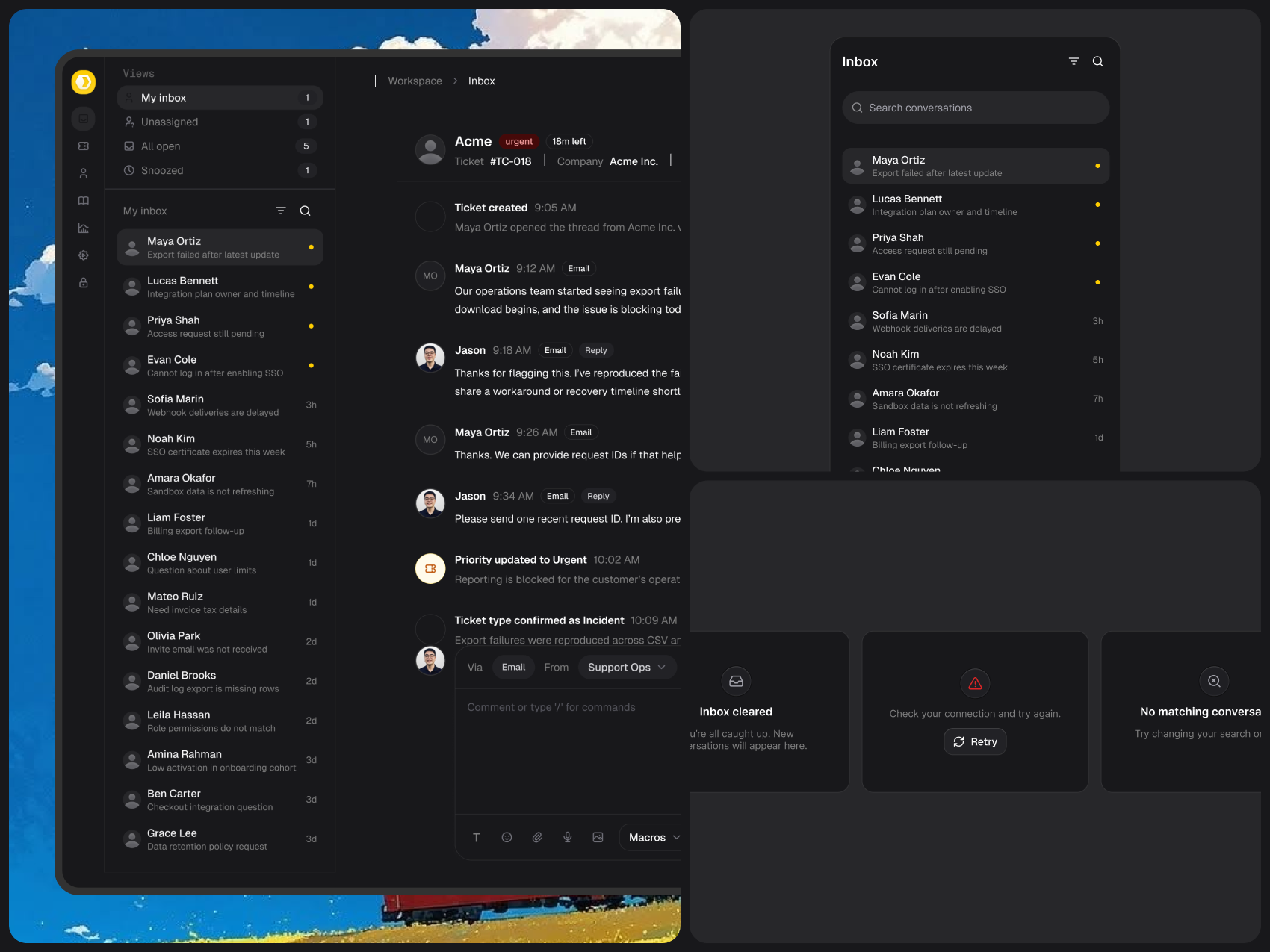
The inbox pairs a conversation queue with the active thread. Customer, ticket, company, and owner context sit near the conversation header, while the reply composer stays within the same workspace. The original screen-and-components composition below explores that hierarchy in dark mode.
Carry the Design Rules into the Product
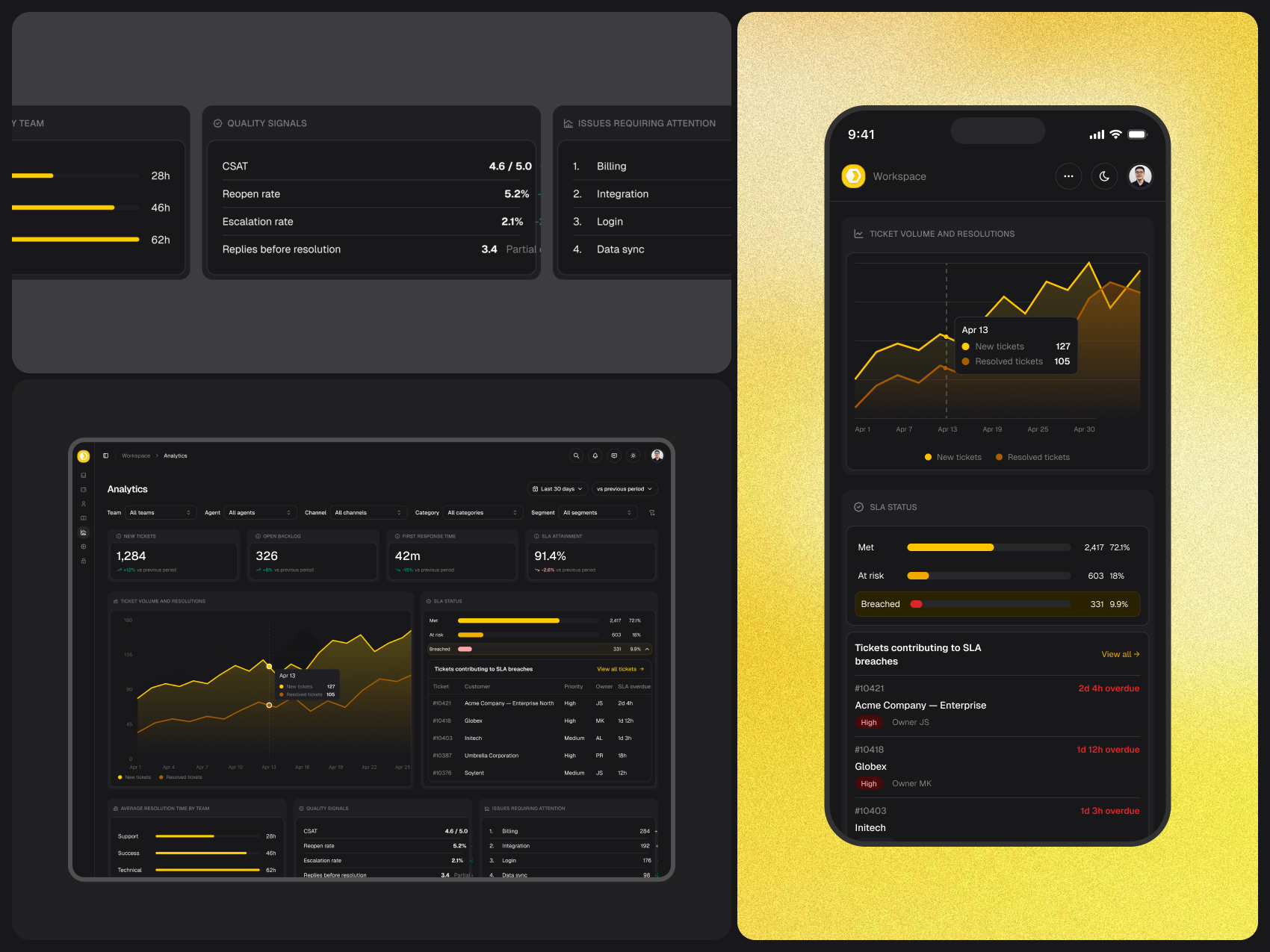
The implementation uses Next.js, TypeScript, and shadcn/ui with shared color and spacing tokens. Reusable grid components support the table, while shared route information keeps navigation and page scaffolding aligned. Light and dark treatments preserve the hierarchy of actions, text, status, and supporting information. The analytics screen extends that visual language into charts; its figures illustrate the UI, not measured project impact.
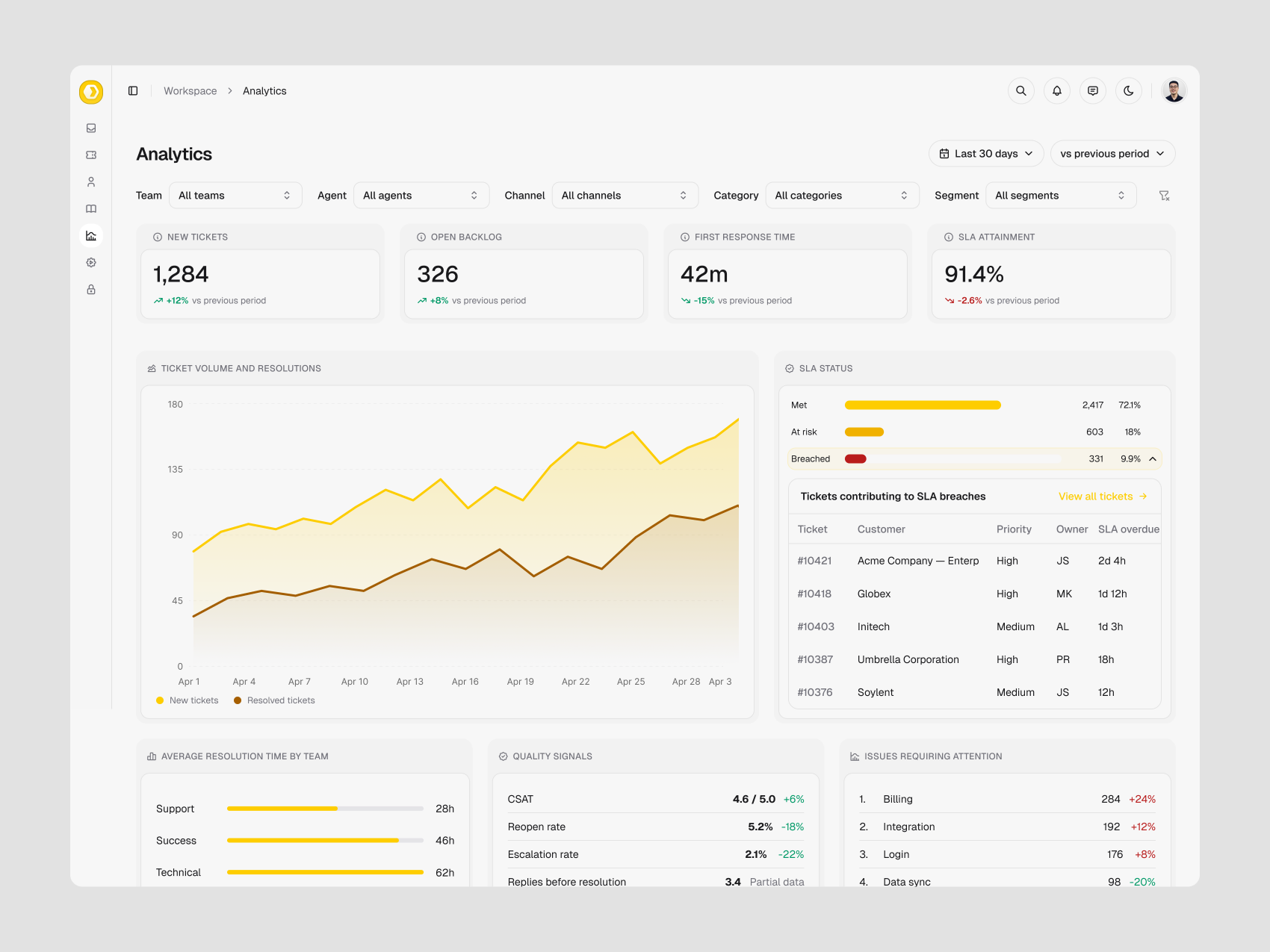
Keep the Hierarchy as Space Changes
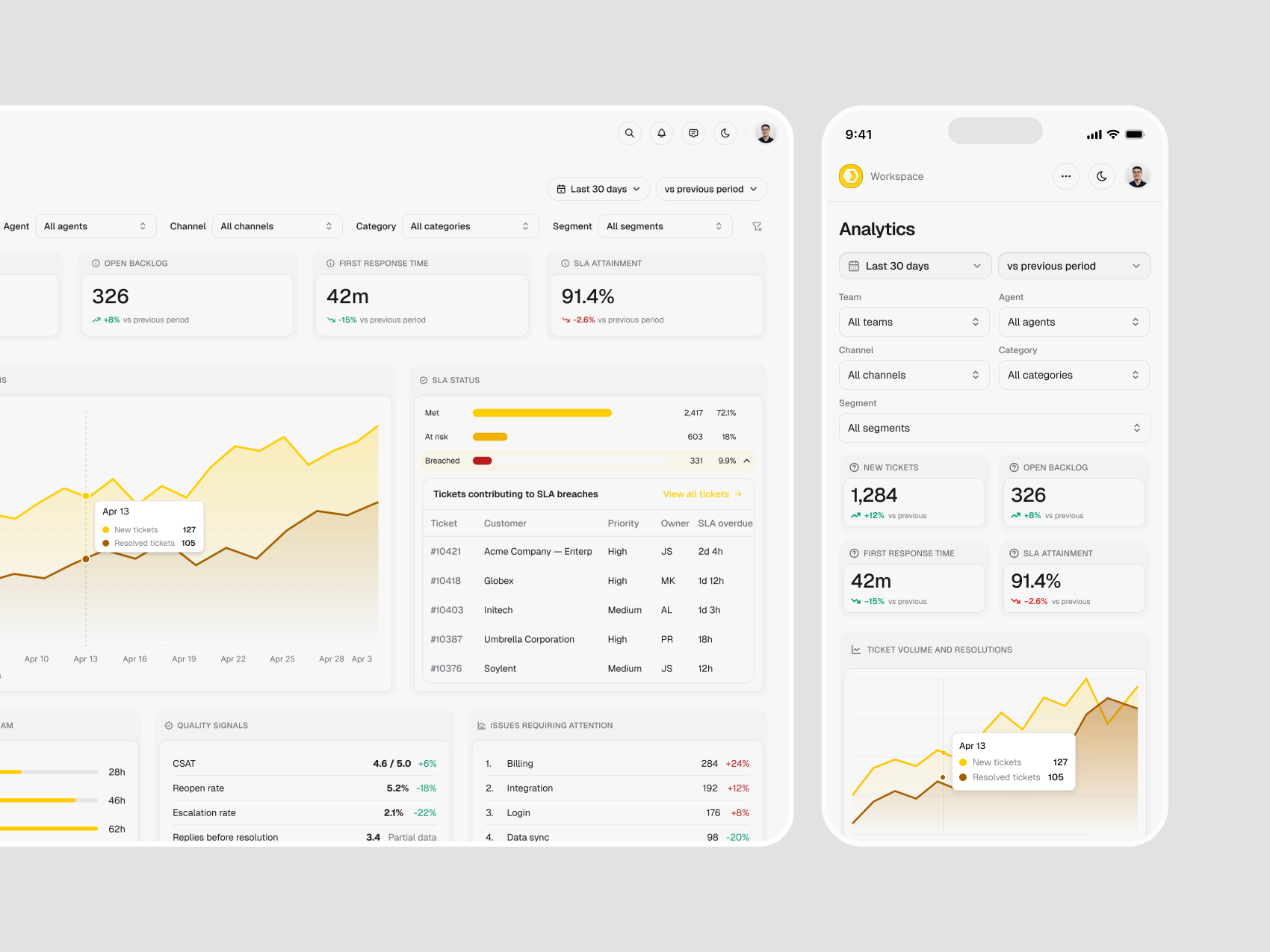
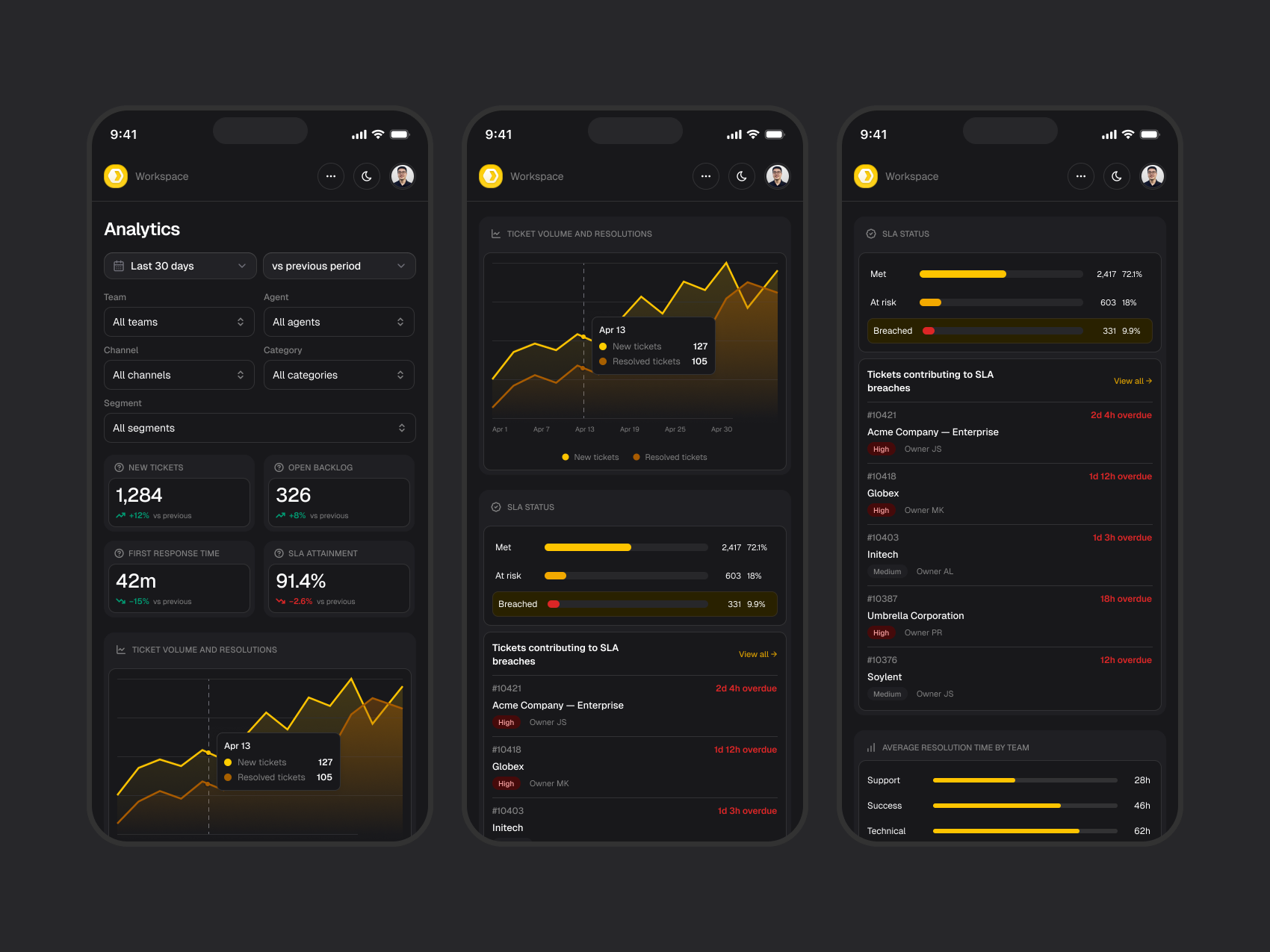
Desktop can show an overview and supporting breakdowns together. The mobile composition reorganizes those groups into a vertical reading order. These responsive design snapshots show how the same information can stay recognizable across screen sizes.
Refine Navigation and Attention
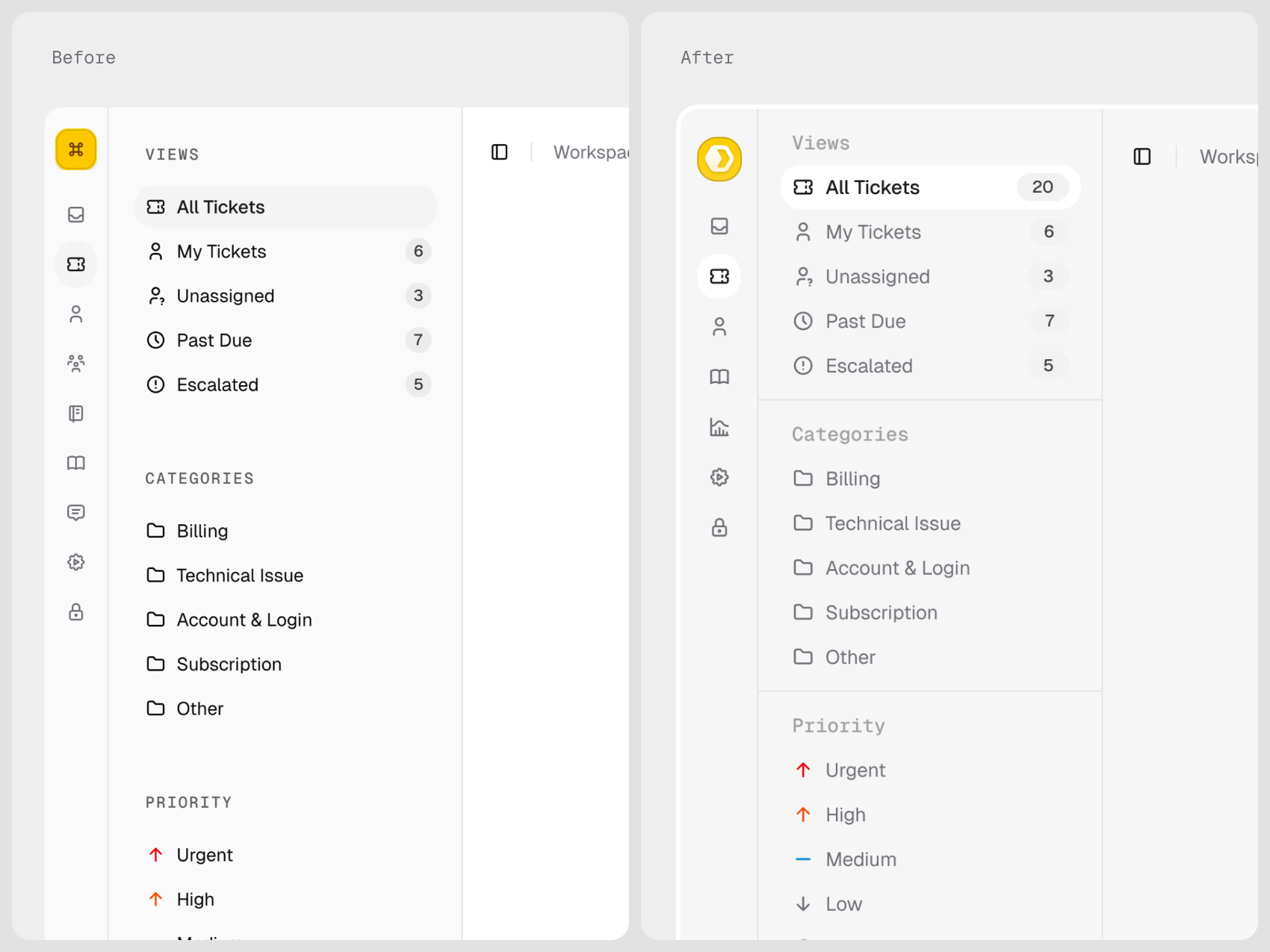
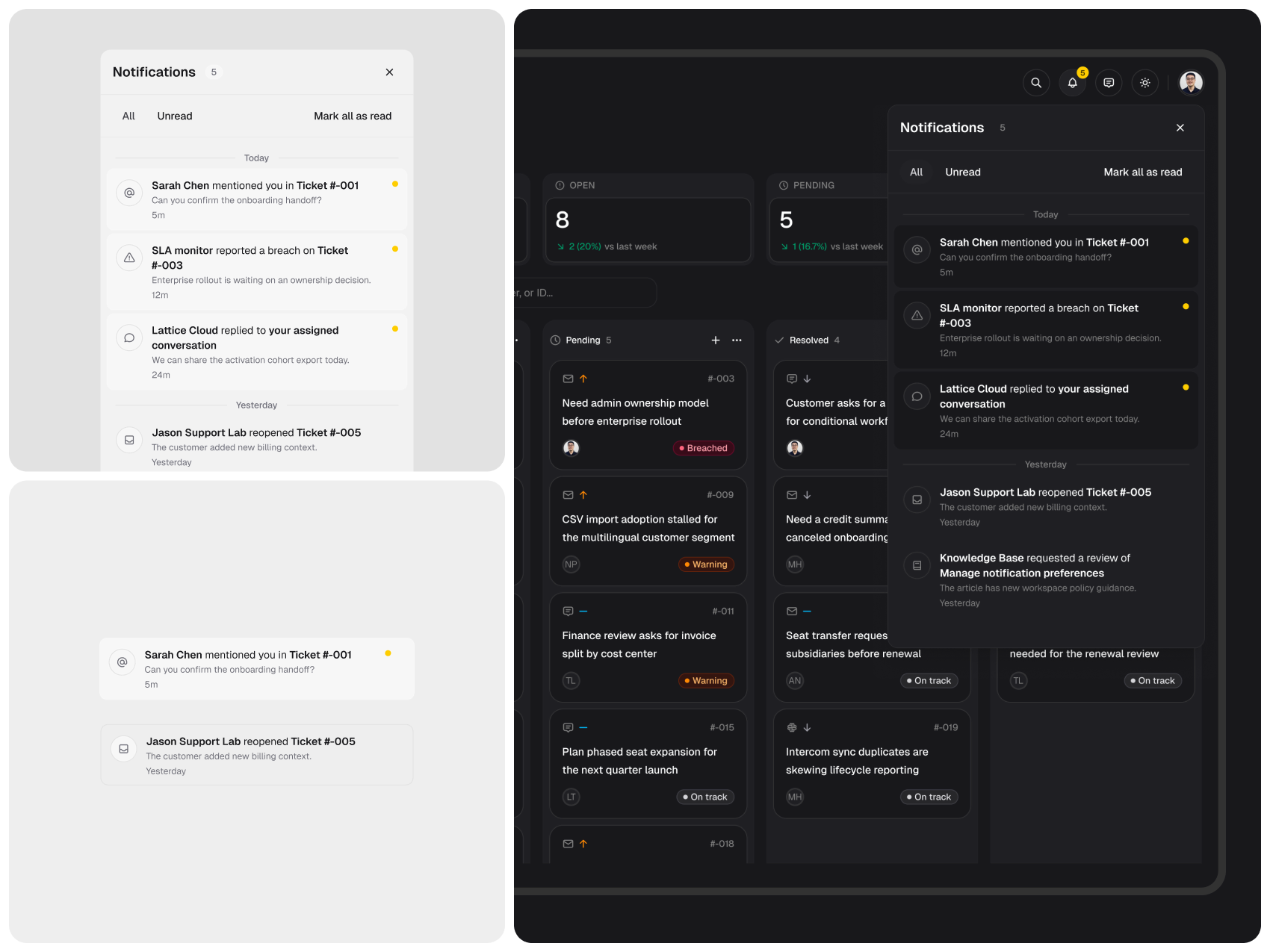
The supporting studies explore the navigation rail, queue filtering, and notifications. The recordings show the interactions behind the static compositions, including a later dark-mode ticket walkthrough. These are historical UI iterations, so some labels differ from the current demo.
View navigation, filtering, and dark-mode studies
What the Work Demonstrates
The result is a public, MIT-licensed frontend that connects queue management, contextual ticket work, and reusable interface patterns. It provides concrete screens and interactions that designers and developers can inspect together.
No customer research results or operational improvements are claimed. Data comes from local fixtures, with some edits stored in the browser. Production use would require connected data, authentication, and server-backed actions. The remote-assistance and phone-support sequences are interface concepts with simulated sessions, rather than connected services.
Keep exploring
Related work
Brew
SaaS • AI • Email Marketing
Kelas SekeJap
EdTech • AI • Mobile